
Greetings and welcome to another edition of the Rich on Tech newsletter!

This week, I spent some time digitizing old videos using a new setup. I’ll share more about that process in a future newsletter, but in the meantime, check out this video I uncovered from the launch of the very first iPhone back in 2007.
I was working at CNET at the time and would often make guest appearances on other networks to talk about technology. This particular segment was for ABC News. Two things stood out to me watching it nearly 20 years later: people paying cash for the iPhone and just how tiny and sluggish that original device looks in my hand. We’ve come a long way!
I also finally received my Amazon digital picture frame, although getting it here was a bit of an adventure. The first one I ordered was marked as delivered, but the box never showed up. Thankfully, Amazon customer service sent a replacement, and I’ve now got it set up. My first impression? This could make a great holiday gift.
And I made it to two fun events this week. First, I visited T-Mobile’s T-Mix House in Hollywood, where each room was themed around one of the new perks you can choose with certain plans.
I also got to celebrate this very newsletter in a pretty fun way. More at the end.
How to fight back against annoying spam calls
No one likes getting spam calls, yet somehow they’re still a nuisance after all these years. Thankfully, there are plenty of free tools that can help fight back against scammers and robocalls.
For this week’s quick tip, I rounded up some of my favorite ways to cut down on unwanted calls. That includes built-in call screening features on iPhones, Samsung Galaxy phones and Google Pixels, plus spam-blocking tools offered by your wireless carrier.
I also have one trick that’s worked well for me. The best advice is to avoid answering suspicious calls in the first place, since engaging with scammers could lead to even more calls. But if you accidentally pick one up and the caller won’t leave you alone, try turning on your phone’s call recording feature. Every time I’ve done this, the caller has hung up almost immediately after hearing the automated announcement that the call is being recorded.
Check out the video below for all my tips and tricks to help keep those annoying calls at bay.
Spectrum’s free speed upgrade is back, but you have to opt in
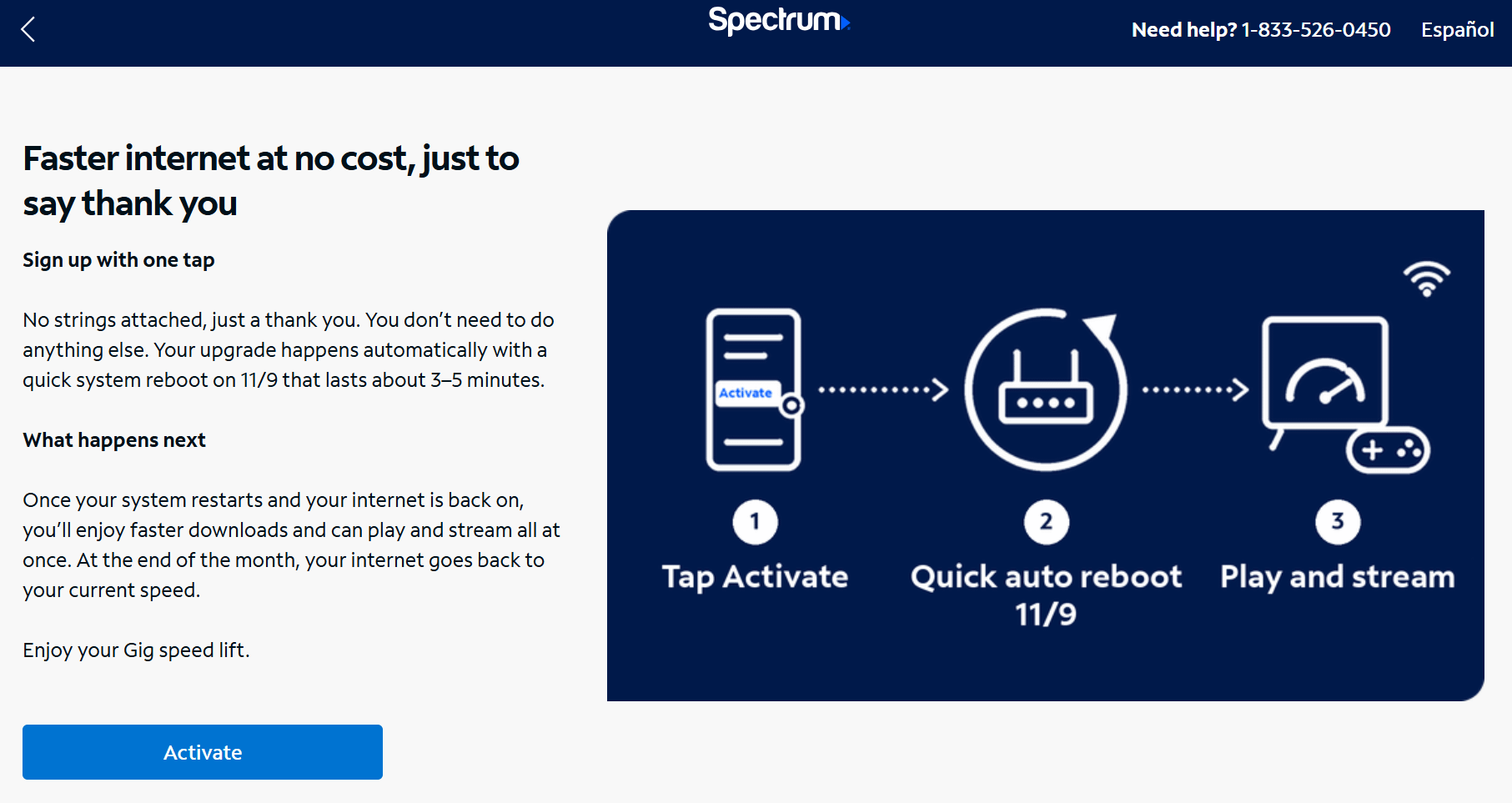
If you have Spectrum Internet, open up your My Spectrum app and look for a free speed upgrade offer. Spectrum did something similar last year, and now it’s back!
Here’s how it works: Spectrum is temporarily boosting eligible customers to faster internet speeds through November 30, with no extra charge or changes to your plan.
All you have to do is open the My Spectrum app, find the speed upgrade offer and opt in with a single tap. The faster speeds are scheduled to kick in automatically on November 9, although Spectrum says you can restart your modem to activate the upgrade immediately.
On November 30, your speeds will return to their previous levels, and your bill stays the same. It’s a fun way to experience faster internet without paying a penny more.
How to get $20 off two Uber Eats orders with Amazon Prime
Speaking of saving money, Amazon Prime members can now get $20 off two Uber Eats orders of $25 or more. That’s a total of $40 in savings!
Amazon has switched from Grubhub to Uber Eats as its restaurant delivery partner, and to celebrate, they’re offering a pretty good introductory deal. Prime members also get an ongoing delivery fee benefit.
Now, take that with a grain of salt. Uber Eats can still tack on other fees, and I still think food delivery is an expensive way to eat. But it’s pretty amazing what you can get delivered these days, and if you’re willing to pay for the convenience, that’s your call.
Here’s the trick to getting the deal: Open the Amazon app, search for Uber Eats, tap the promotional banner and activate the offer. Then, make sure you place your order through Amazon, not the Uber Eats app. Otherwise, the discount won’t apply.
The nice thing is that even existing Uber Eats customers can take advantage of this promotion, even if they’ve used other offers in the past.
You have 14 days to use both $20 discounts, so don’t wait too long if you want to take advantage of the savings.
When real bank emails look just like scams
I often share tips on how to avoid getting scammed, but I’ll be the first to admit it’s not easy. These days, we have to be on guard with practically every text, email and incoming message.
The problem is that scammers take legitimate messages we’re used to seeing and put their own twist on them. Your account is in danger. Your cloud storage is full. You need to update your payment method. These are all things real companies might tell us, but scammers use the same language to trick us into clicking links that lead to convincing fake websites designed to steal passwords, credit card numbers and other personal information.
Here’s a perfect example of why it’s so difficult to tell the difference.
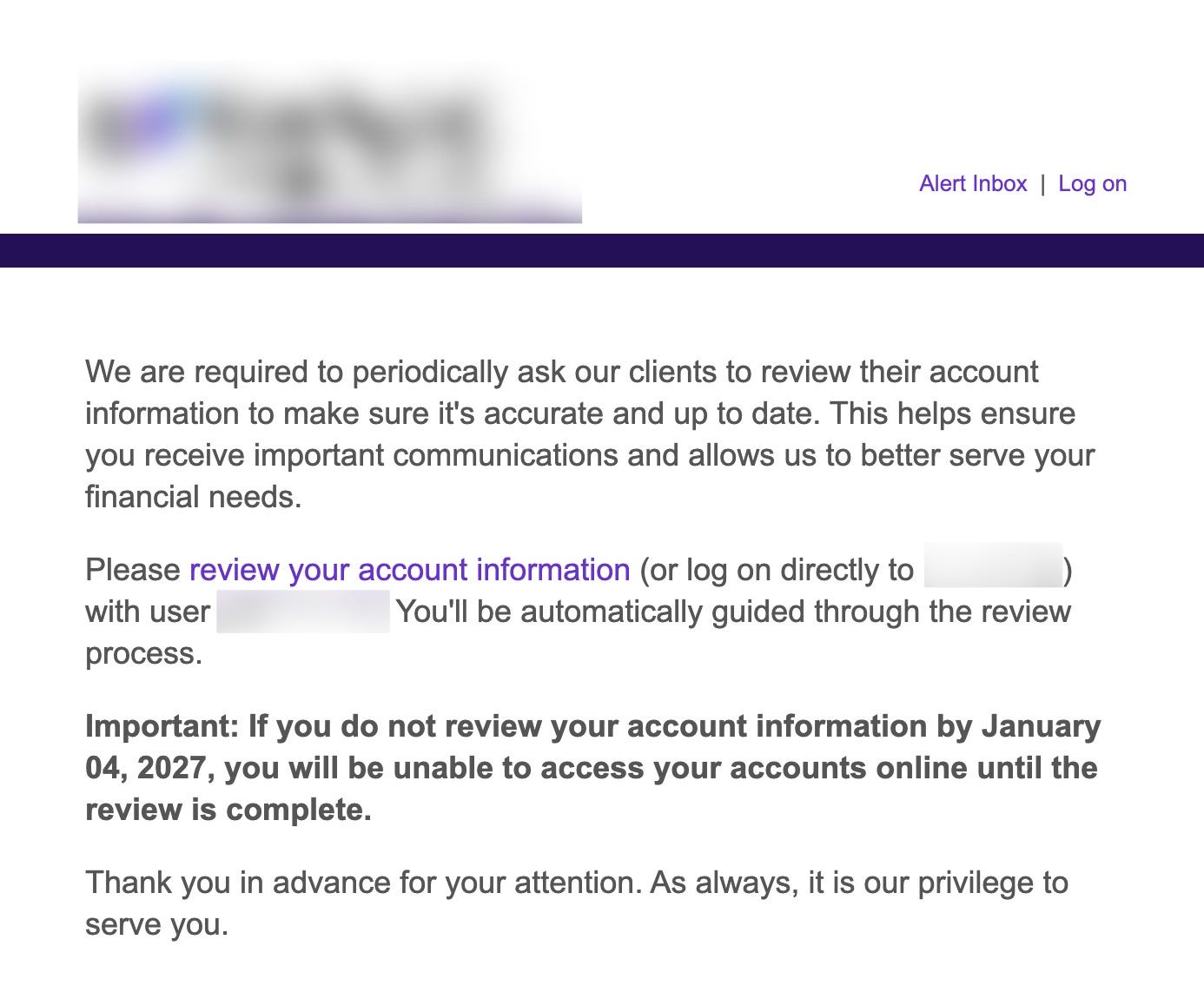
I recently received an email from one of my actual banks warning that if I didn’t update my personal information by January, I would lose access to my accounts.
Sound familiar? That’s exactly the kind of urgency I always warn people about. Scammers love to create a sense of panic to get you to act quickly. Yet here was a legitimate bank using the same tactic, complete with a big button encouraging me to click and update my information.
To make matters worse, the date was written in an unusual format, another little detail that might make you suspicious of a scam.
I wish banks would handle these situations differently. Instead of putting a big link in an email, why not simply tell customers to open the bank’s app or visit its website directly, where a notification could guide them through the process?
My point is that even legitimate messages can look suspicious these days, which makes protecting yourself that much harder. The safest approach is still the same: If a message says you need to take action on an account, skip the link and go directly to the company’s app or website yourself.
Your personal information is for sale online
Sponsored by Incogni
Ever wonder how scammers seem to know your name, phone number, home address or even the names of your relatives? A lot of that information is easy to find online.
Data brokers collect and sell personal information, making it easier for scammers and other bad actors to learn about you. That’s why I use Incogni. It automatically sends removal requests to hundreds of data brokers and people-search sites on my behalf, then keeps checking and requesting removals so my information is less likely to stay exposed.
Incogni has already completed hundreds of removal requests for me, saving me countless hours of trying to track down and remove my information myself.
Now, removing your information won’t stop every scam or spam call, but it can make it harder for strangers to find your personal details in the first place.
Incogni now covers more than 420 data brokers with automated removals, and its Unlimited plan lets you request removals from thousands of additional websites.
Get 60% off Incogni annual plans with code RICHONTECH. Exclusive Black Friday and Cyber Monday offer for Rich on Tech readers. Discount applies to the first year.
How a fake job interview led to a massive crypto heist
Speaking of hackers, did you hear how North Korean hackers allegedly pulled off the largest crypto heist in history? It all started with a fake job interview.
A software engineer at Binance, one of the world’s largest cryptocurrency exchanges, thought he was interviewing for a new job. He went through two rounds of interviews, including one with someone posing as the CEO of a company. At the end, he was asked to download a coding assignment onto his work computer.
Well, that assignment contained malware. It was part of a much larger attack that eventually allowed hackers to steal more than $6 billion in cryptocurrency, with billions taken in about 20 minutes.
And where was the company’s security software? Apparently, the malware was sophisticated enough to evade detection.
It’s a pretty incredible story, and another reminder that even people who work in technology can get tricked. Security software can only do so much. At the end of the day, our own judgment is an important line of defense. Whether it’s a suspicious email, an unexpected download or even a job opportunity that seems legitimate, we all need to think carefully before clicking.
I explain how the whole thing unfolded in the video below.
I tried Amazon’s new digital picture frame and I’m hooked
I finally got my hands on Amazon’s new 10-inch Alexa Photo Frame, and after just a few hours of using it, I’m pretty impressed.
Setup was simple. The packaging was easy to open, the stand attaches magnetically, and there’s a nice braided power cable. The frame has a touchscreen, which makes connecting to Wi-Fi and adjusting settings a breeze. There was a software update to install right out of the box, but otherwise, setup was straightforward.
The real magic happens once you connect your Amazon Photos account. I chose the Daily Memories option, and within minutes, the frame started displaying pictures from my photo library. And here’s the thing: Alexa is doing a great job picking them.
It’s finding great pictures of my family, smiling faces and memories I’d forgotten about. I’ve been sitting here watching it cycle through photos, and I can’t remember the last time a gadget made me smile this much.

What I really love is how little work it requires. With automatic photo backup enabled on my iPhone or Android, new pictures can flow into Amazon Photos without me having to manually select and send them to the frame. It’s a neat way to unlock years of photos that would otherwise just sit in the cloud.
That’s also the biggest difference between this and something like an Aura frame. Aura is great if you want to handpick photos and share specific memories with family members. Amazon’s approach feels much more like setting it and forgetting it. Let the software do the work, and enjoy what it finds.
There are a few minor drawbacks. The bezel is a little bigger than I expected, and the screen looks best when viewed straight on. Picture quality drops a bit from an angle. But neither issue is bothering me that much.
The Alexa Photo Frame starts at $199.99, although I picked mine up for $150. At that price, I think it’s a fantastic little gadget and a great holiday gift.
My one caveat is that I’d recommend it primarily to Amazon Prime members. Prime includes unlimited full-resolution photo storage and Alexa+, which powers the intelligent photo selection that makes this frame so special. You get 90 days of Alexa+ included with the frame, but after that, you’ll need Prime or a separate Alexa+ subscription to keep using some of the AI features.
T-Mobile wants to make your wireless plan more customizable
T-Mobile is trying something different with its wireless plans. Instead of giving everyone the same bundle of perks, like Netflix or Hulu, its new T-Mix plans let customers choose which benefits they actually want.
Here’s how it works. There are three plans: Standard, More and Loaded, starting at $55, $75 and $95 a month for one line with AutoPay, plus taxes and fees. Each comes with a certain number of what T-Mobile calls “Picks,” which you can exchange for various services and benefits.
For example, you might use your Picks for Netflix, Apple Music, Hulu, Xbox Game Pass, YouTube Premium and more. Some benefits require more Picks than others, so you’ll have to decide what’s most valuable to you.
I got to see the concept brought to life at T-Mobile’s T-Mix House in Hollywood, where each room was decorated around a different partner. It was a fun way to show off just how many options customers will have.
One feature I like is the flexibility. You can generally change your partner Picks every three months. So maybe you want Netflix for a while, then switch to Hulu when there’s something new you want to watch. T-Mobile also plans to add more partners and benefits over time.
Of course, there’s a catch. You’ll want to pay attention to how many Picks each benefit requires, and some selections, especially phone promotions, come with longer commitments.
If you’re already a T-Mobile customer and like your current plan, there’s no need to change anything. But it’s worth comparing the new T-Mix options to see whether you could get more value from the services you’re already paying for.
And one more thing: If you’re paying close to $100 a month for a premium wireless plan but aren’t using all those extra perks, you might be better off with something simpler. Mint Mobile uses T-Mobile’s network, and right now, all of its plans, even Unlimited, are just $15 a month for new customers. You can prepay for 3, 6 or 12 months, meaning an entire year of service costs just $180, plus taxes and fees. The deal is for your initial term only, so prices go up when you renew. But if you don’t need all the bells and whistles, why pay for them?
Your home insurance company might give you free smart home gadgets
Remember how I went to that insurance conference a couple of weeks ago to host a panel with Property Brother Jonathan Scott? Well, I also spent some time roaming the show floor and found a few interesting smart home gadgets designed to help prevent disasters before they happen.
Some insurance companies are willing to offer these gadgets to their customers for free or at a discount. Why? Because spending a little money on a device that can detect a water leak or an electrical problem early could save them thousands of dollars in insurance claims down the road.
It’s a win-win. You get some potentially useful technology for your home, and your insurance company reduces the risk of having to pay for a major disaster.
Check out my video below to see some of the gadgets I discovered. And here’s my tip: Call your homeowners insurance company or check its website to see whether it offers any free or discounted smart home devices. You might be surprised what’s available!
I finally found a way to clean up my messy Kindle library
I don’t know about you, but over the years my Kindle library has become a complete mess. Between books I never finished, free samples, library loans, magazines and random PDFs I sent to my Kindle, there was just too much stuff in there.
For the longest time, I couldn’t figure out how to permanently delete any of it. Well, I finally found the solution! Amazon has a page called Manage Your Content and Devices that lets you go through your entire digital library and actually delete things for good.
You can sort through purchases, samples, rentals, loans and borrowed books, making it much easier to find what you don’t need anymore. I went through my entire collection and cleared out old samples, borrowed books and PDFs I no longer wanted.
If your Kindle library could use some spring cleaning, this is the place to start. Just be careful: Permanently deleting a purchased book means you may have to buy it again if you want to read it later.
Tech Tidbits
Thanksgiving dinner for $25: Amazon is offering an entire Thanksgiving meal for just $25, including an 8-pound turkey, sides and dessert. Free same-day delivery is available in eligible areas. The deal runs through November 26, while supplies last.
Windows 11 gets faster: Microsoft’s latest update promises up to 20% better responsiveness and 40% faster multitasking on PCs with just 8GB of RAM. Check Windows Update to see if it’s available for your computer.
Netflix wants to end endless scrolling: Netflix is testing a new AI Discover feature that recommends shows and movies based on your mood. It’s rolling out to a small group of users first.
Games instead of doomscrolling: Oboe is a fun app that replaces endless social media scrolling with quick puzzles and brain games. I’ve been trying it out, and it’s a clever way to give your brain a little workout. iPhone and Android
Bookmarks
Here are four things I bookmarked this week. I haven’t fully tested or vetted them yet, but they looked interesting enough to save for later, so I figured I’d share.
CoverageMap.com helps you figure out which wireless carrier works best in your area using crowdsourced speed tests from real phones. It’s free and could be especially useful if you’re thinking about switching carriers.
Pangram has a Chrome extension that lets you right-click on an image to check whether it might be AI-generated. You can also upload images directly to its website. You get three free image scans per day, and as with any AI detector, results aren’t foolproof.
Beamfy is an AI-powered accessibility app for people who are blind or have low vision. It can describe your surroundings, read printed text aloud, preview walking routes and send your location to a trusted contact using an SOS button.
Spelunkr is like Pluto TV, but stuck in a time machine. It offers 34 channels of vintage programming from the Internet Archive, including classic cartoons and old TV broadcasts. Even the interface feels like something from decades ago!
Q&A: Keep an eye on your inbox this week for a new edition of Ask Rich, packed with more answers to your tech questions!
Feedbag
A few notes from viewers and listeners this week:
Chris in Vermont wrote, “You do a great job informing people on a wide range of tech topics and do it so the average person can understand.”
Pam in Rancho Santa Margarita, California wrote, “Love your newsletters and posts and often forward interesting articles to family and friends.” Thanks for spreading the word, Pam!
Debby, a longtime KTLA viewer, wrote, “Love watching u for years on KTLA!”
Ray in Centennial, Colorado sent a simple note: “Love your Radio show.”
That’s going to do it for this week’s newsletter!
Speaking of this newsletter, can you believe I’ve been writing on Substack since March 2019? If you’re not familiar, Substack is the platform I use to publish these emails. It allows anyone to start a newsletter, build an audience and even earn money from subscribers.
And thanks to you, Rich on Tech is a Substack Bestseller! That’s a designation for writers with a strong base of paying subscribers. If you’re one of them, thank you! You also get some extra perks, including VIP treatment in my inbox and an ad-free, higher-quality version of my podcast.

Last night, Substack hosted a gathering for its bestselling writers at the legendary Canter’s Deli in Los Angeles. I got to hang out with co-founder Hamish McKenzie and meet some fascinating people who have turned their passions into newsletters and communities of their own. They even gave us these awesome old-school diner mugs, which I love!
Anyway, thanks for being part of this journey!
As always, I’ll see you on the radio this morning from 11 AM to 2 PM Pacific on KFI AM 640 in Los Angeles. You can also catch the replay Sunday night from 8 to 11 PM Eastern on 710 WOR in New York City, or subscribe to the Rich on Tech podcast and listen anytime.
Rich
How does Time frame compare to Apple Home view?