You know how ads on Facebook and Instagram are a little too accurate?

You browse a pair of running shoes, and suddenly they’re all over your Facebook feed. You look at a hotel for an upcoming trip, and it pops up in your Instagram Stories.
Prepare for an entirely new level of creepiness.
Starting next month, Meta will use information it receives from other websites and apps about your activity there to personalize not just the ads you see, but also the content that appears in your Facebook and Instagram feeds, along with responses from Meta AI.
A quick refresher: millions of websites and apps use Meta’s tracking tools, including the Meta Pixel. These tools can send information about your activity back to Meta, often behind the scenes.
That means if you shop for a tent online, don’t be surprised if your feed suddenly fills up with camping videos. Browse homes on a real estate website? You may start seeing more home-buying content. Order takeout? More restaurant recommendations could show up in your feed.
Meta says it’s not collecting any new information. Instead, it’s expanding how it uses data that businesses already share through these tracking tools.
When I checked my own account, I was surprised to see activity being shared from companies including Nike, DoorDash, OpenTable, Spotify, Peacock and Redfin.
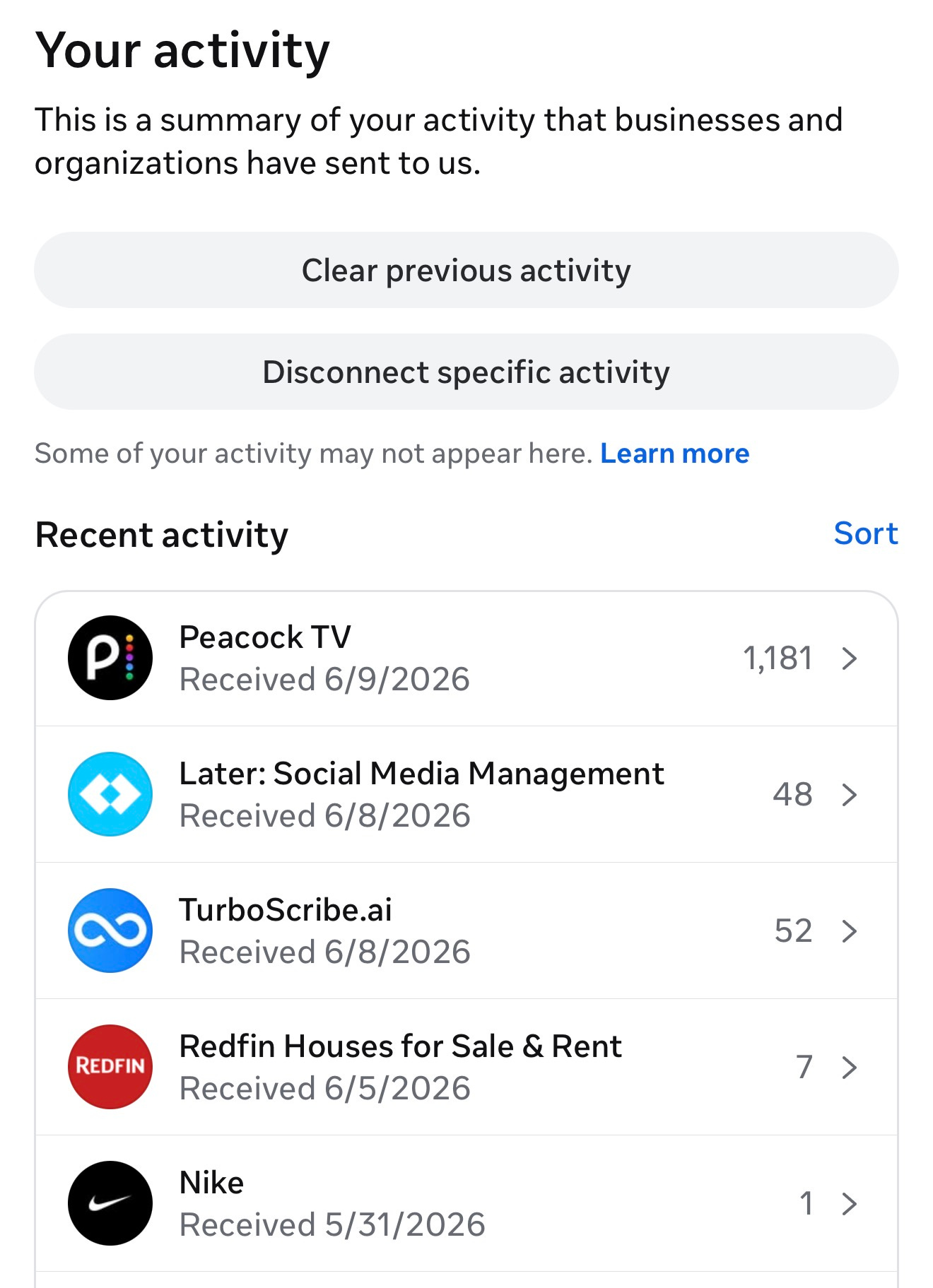
Peacock alone had shared information about more than 1,100 interactions. While Meta doesn’t show exactly what data was shared, it could include things like content you viewed, searched for, clicked on or otherwise interacted with.
The change is a reminder of just how much information flows behind the scenes whenever you browse the web, shop online or use apps connected to Meta’s advertising network.
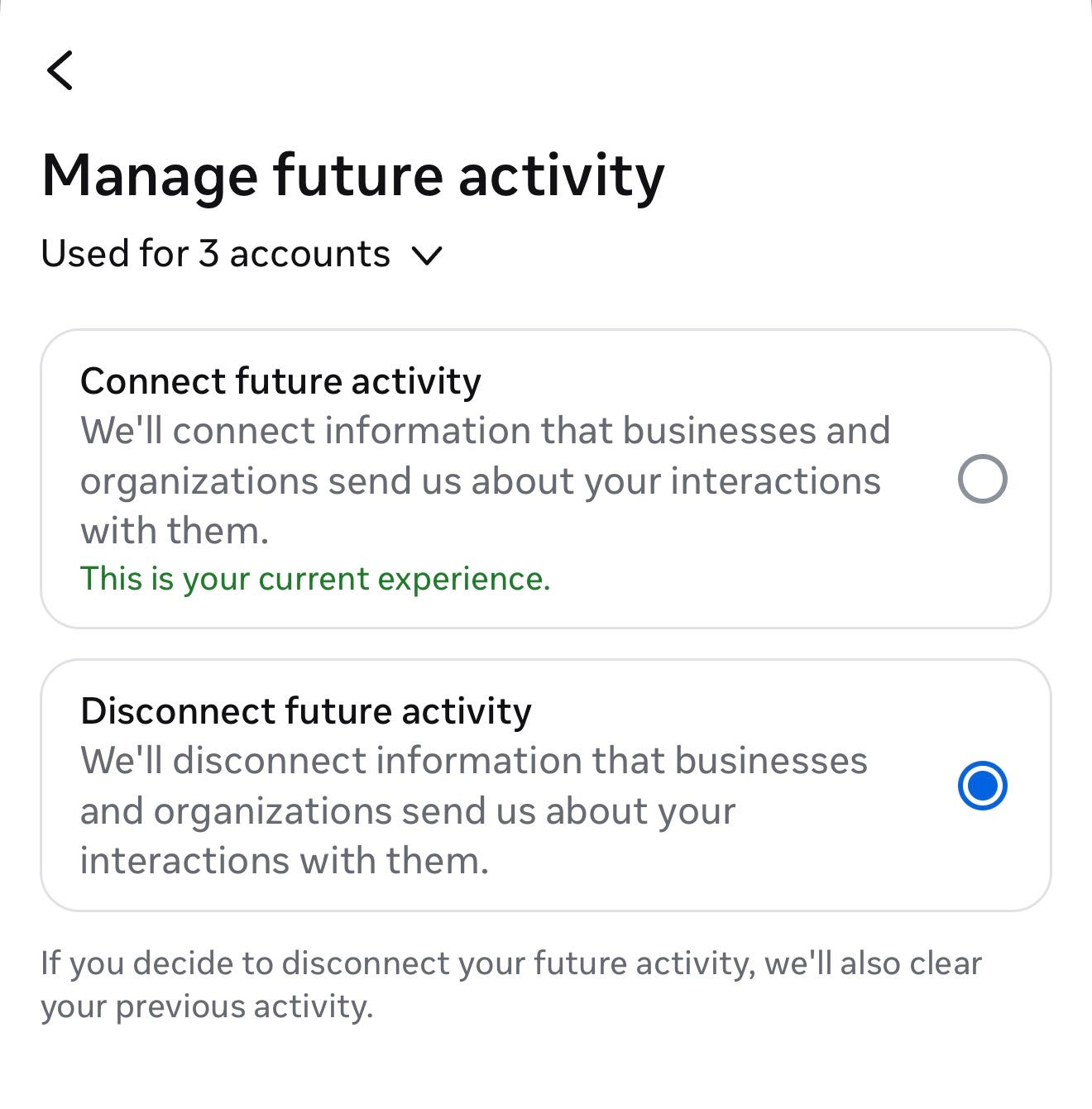
The good news is you can turn this feature off.
How to see which businesses are sharing your activity with Meta
Open Facebook or Instagram.
Tap your profile.
Tap the Menu button (three lines in the upper-right corner).
Tap Accounts Center.
Tap Your information and permissions.
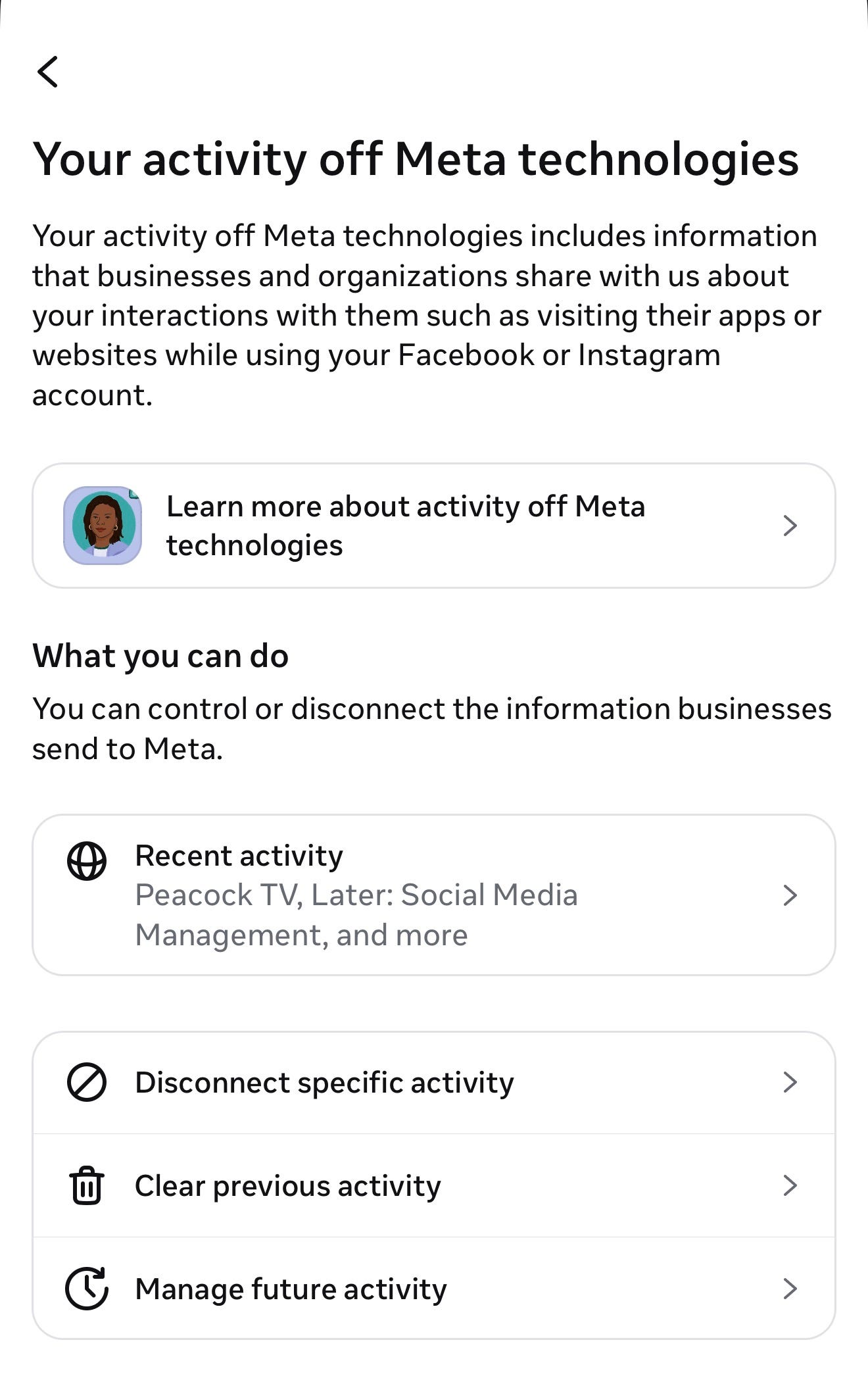
Tap Your activity off Meta technologies.
Tap Recent activity.
Prepare to be surprised. The list can reveal just how many companies are sharing information about your activity with Meta.
Meta is replacing its older “Your activity off Meta technologies” setting with a new “Activity from other businesses” control, so you might see different menu options during the rollout.
How to stop Meta from using this information
Open Facebook or Instagram.
Go to your Profile
Tap the Menu (three lines)
Go to Accounts Center.
Tap Your information and permissions.
Tap Activity from other businesses.
Choose “Don’t allow us to use this activity to show you relevant content”
Keep in mind, this new option is rolling out so you might not see it just yet.
Once disabled, Meta says it will no longer use activity from other businesses to personalize your ads, feed content and AI experiences.
The changes begin rolling out in July in the U.S. and several other countries.
Bottom line: The same data that powers those eerily accurate ads is about to start influencing what shows up in your feed. If that makes you uncomfortable, now is a good time to check your settings.