
The apps I’m actually using on my phone in 2026
We’re halfway through the year, so I figured it’s a good time to give you an update on the apps I’m actually using on my phones.
Before we get started, a quick ground rule: I strongly prefer cross-platform apps whenever possible. That means apps that work on both iPhone and Android.
The more locked into a single ecosystem you become, the harder it is to switch when technology changes. AI is making this even more interesting, with Gemini and Siri becoming increasingly tied to Google’s and Apple’s ecosystems.
As for phones, I’m currently using the iPhone 17 Pro Max as my primary device, but I still carry an Android phone everywhere I go. Right now that’s the Samsung S26 Ultra. My heart is still in Android, but the iPhone remains compelling thanks to its camera, apps, accessories, and ecosystem.
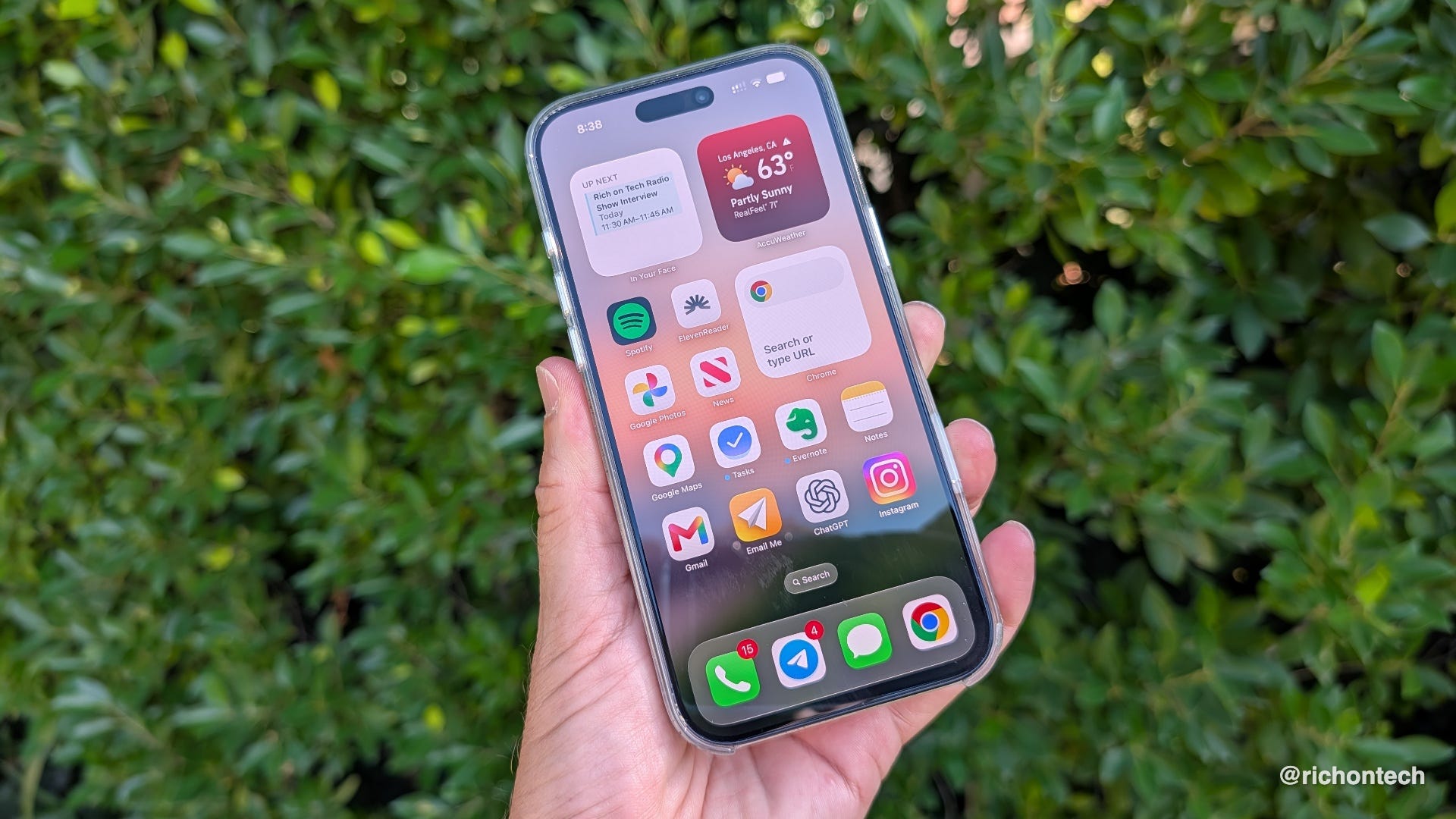
My core apps
Gmail - Still my preferred email app because it syncs perfectly with the web version and works seamlessly across platforms.
Google Maps - My go-to navigation app. The new Ask Maps AI feature is surprisingly useful for answering detailed questions about places.
Google Photos - Home to more than 230,000 photos and videos. Search is still unmatched, and I love how it stacks similar photos automatically.
Google Tasks - Recently replaced Microsoft To Do because of its Gmail and Gemini integration, though I still think Microsoft To Do has the better overall interface.
AI
ChatGPT - My favorite overall AI assistant. Great at brainstorming, writing, follow-up questions, and understanding context over time.
Gemini - Quickly becoming one of my most-used apps. I rely on it for real-time information and anything that benefits from Google’s search index.
Notes and organization
Evernote - After trying nearly every note-taking app on the market, I eventually came back. It simply does what I need better than anything else.
Apple Notes - One of the few Apple-only apps I actively use because it’s deeply integrated with Siri and Apple’s AI features.
Raindrop.io - My digital memory bank for interesting websites, apps, articles, and resources I want to revisit later.
Reading and listening
Apple News+ - A premium-feeling news experience with excellent publications and surprisingly addictive puzzles.
ElevenReader - Lets me listen to articles, PDFs, ebooks, and documents using realistic AI voices.
Libby - The easiest way to borrow ebooks and audiobooks from the library and send them directly to Kindle.
Productivity
In Your Face - A simple widget that keeps my next calendar appointment front and center.
Voice Notes - A voice-powered notebook that transcribes, organizes, and makes everything searchable.
Whisper Memos - A great Apple Watch companion that transcribes voice notes and emails them directly to me.
Wispr Flow - The most accurate voice-to-text app I’ve used. Dictation is getting much better across all platforms, but this still leads the pack.
Health and weather
Google Health - My primary health dashboard thanks to excellent AI-powered insights and data integration.
AccuWeather - I like the way it presents information, especially long-range forecasts.
Tomorrow.io - One of the best apps for tracking storms and severe weather.
Social and content creation
Buffer - Lets me write once and publish across Threads, Bluesky, X, and other social networks.
Detail - A newer app that makes it easy to create polished social media videos.
Canva - My go-to design tool for graphics, thumbnails, and social posts.
CapCut - Still one of the easiest ways to edit videos and generate captions.
Security and privacy
Bitwarden - My password manager of choice because it’s free, secure, and works everywhere.
Proton Authenticator - An excellent free two-factor authentication app that’s completely cross-platform.
Surfshark - My preferred VPN for privacy and international travel. The CleanWeb feature blocks ads, trackers, and malware.
Firefox Focus - My long-time privacy browser for quick searches that I don’t want tracked.
Orion - A newer privacy-focused iOS browser that blocks ads and trackers by default.
Google Voice - My second phone number for loyalty programs, signups, and situations where I don’t want to share my primary number.
Utilities
Clever Cleaner - My favorite iPhone storage cleanup app. Completely free and ad-free.
Blip - Like AirDrop for all of your devices. Great for quickly moving files between platforms.
Meteor - My favorite speed test app because it’s quick and simple.
Orb - The best app I’ve found for monitoring overall internet quality and reliability.
Travel
Airalo - The easiest way to purchase eSIMs for international travel.
Faye - Fast and simple travel insurance when I need it.
Flighty - Essential for frequent travelers. I only wish it was available on Android.
National Park Service - A must-have if you’re visiting U.S. national parks.
Waze - I mainly use it for one feature: telling me exactly when to leave so I arrive on time.
Entertainment
Rotten Tomatoes - My first stop for movie reviews and ratings.
Reelgood - Great for discovering where movies and shows are streaming.
Moonlitt - A beautifully designed moon phase app that lives on my home screen as a widget.
Photography
Backdrops - Still my favorite source for smartphone wallpapers.
Dazz Cam - Fun retro-style photography effects and vintage camera looks.
Picsart - Handy for resizing photos and changing aspect ratios without awkward cropping.
Money
FlyFin - Excellent for freelancers. Uses AI to identify tax deductions and help manage tax obligations.
Monarch Money - My favorite Mint replacement and overall financial dashboard.
ShopBack - A simple way to earn cashback on online and in-store purchases. I check it before shopping to see if there’s an easy rebate available.
Upside - Helps save money on gas and groceries.
Outdoors
AllTrails - The best way to discover hiking trails and navigate them safely.
Android-only favorites
Caffeine - A simple but brilliant utility that keeps your screen awake for as long as you need it. Perfect when following recipes or reference material.
Glimpse Notifications - Gives Samsung phones an iPhone-style notification experience by lighting up the screen when alerts arrive.
Final thoughts
These aren’t all the apps on my phone. I skipped over common apps that most of you already know about.
Instead, these are the apps that have earned a (semi)-permanent spot in my workflow because they save time, solve problems, or simply make life easier.
And if there’s one theme running through this entire list, it’s flexibility. The less tied I am to a single platform, the easier it is to adapt when technology inevitably changes.