Scam or legit? This site tells you in seconds
Plus: Airline battery rules, the razr is back and lots of helpful apps and websites.
Greetings and welcome to another edition of the Rich On Tech Newsletter!
Hope you’re having a fantastic week. Last week I was in New Jersey for my brother’s wedding. Not only were we there to celebrate, I was also the officiant. That was a first. I wasn’t necessarily nervous, but I definitely didn’t want to mess up his big day.
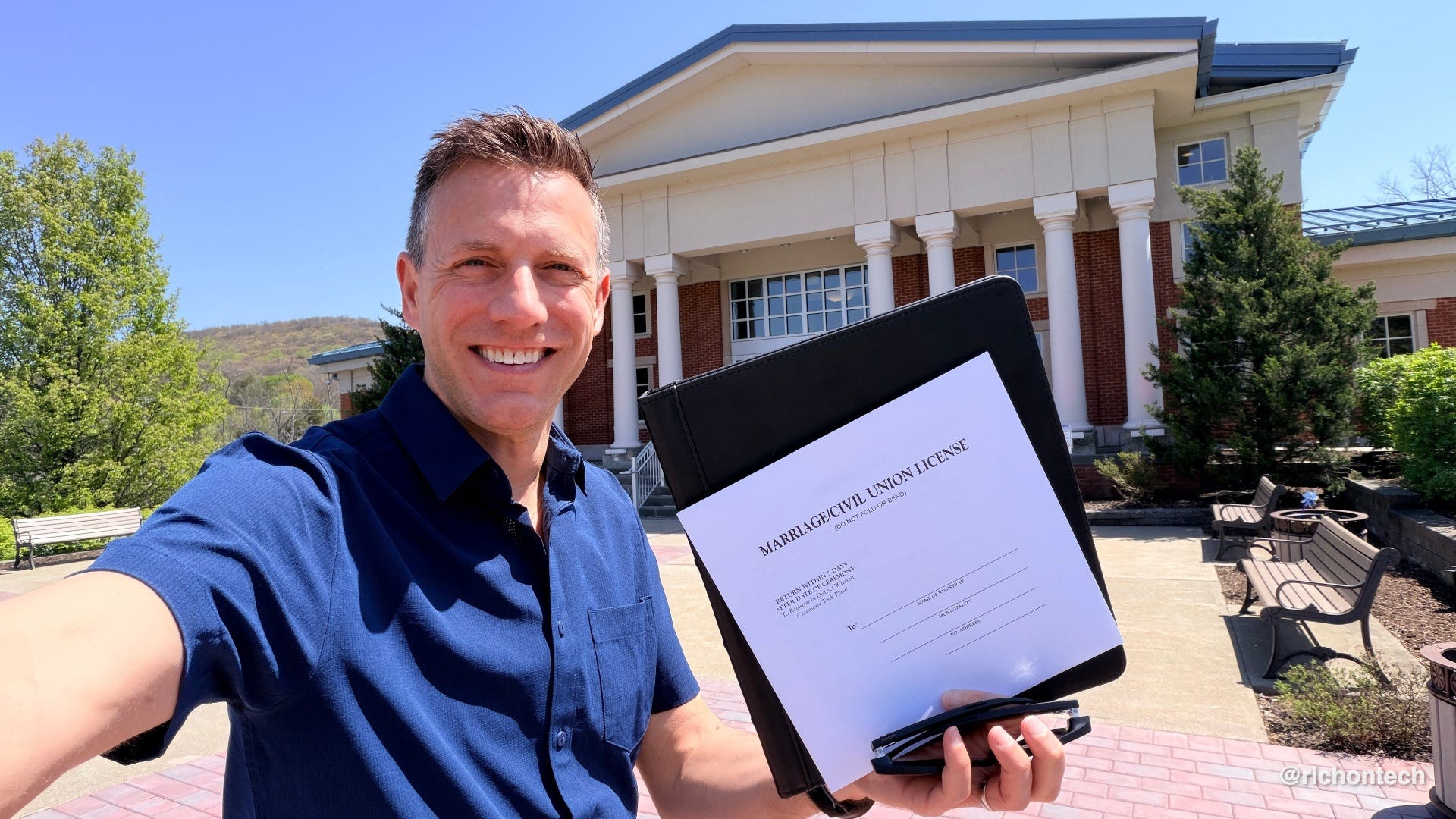
I wrote out the entire ceremony and put it in a binder. That turned out to be the trickiest part. Since my brother didn’t want me using the podium, I had to hold the binder in one hand and the mic in the other. That left exactly zero hands to flip pages, and of course, it was windy.
Somehow, it all worked out. The ceremony went off without a hitch. The only casualty was my hand, which was sore afterward. Turns out I was gripping that binder for dear life.
Best of all, my brother is now married to an amazing bride, and they lucked out with perfect weather. I called it California weather, sunny and comfortable, while the rest of the week was cloudy or rainy. Not bad for an outdoor wedding, and a pretty great start to married life.
Travel tips: battery rules and a credit card hack that actually works
Speaking of travel, I’ve got two quick notes worth knowing.
First up: lithium batteries. I’m getting a lot of questions about what’s allowed and what’s not. If you’ve flown recently, you’ve probably heard the question about lithium batteries in your checked luggage. A lot of people are wondering if that includes things like AirTags.
Here’s the deal: airlines are mainly concerned about spare lithium-ion batteries, like power banks or loose laptop batteries. An AirTag or similar tracker is OK.
For carry-ons, airlines are getting more cautious as portable chargers become more common. Most limit you to one or two batteries per person, typically under 100 watt-hours. In plain terms, that means a standard 20,000 mAh battery pack should be fine.
That said, policies can vary, so it’s always smart to check with your airline. Major carriers like American, Delta, United, and Southwest all spell out their rules online.
The second tip is a simple credit card hack. A lot of cards now offer monthly perks that work more like coupons than one-time credits. Instead of giving you a lump sum, they spread the benefit out to encourage regular use.
On Threads, tech creator Shannon Morse shared a smart workaround: if your card offers a monthly rideshare credit, try adding funds to your rideshare wallet. That can trigger the credit without needing to take a ride right away.
I tested this with my own card. I get a $12 rideshare credit each month, something I hadn’t even noticed since I usually pay with debit. I added $20 to my Uber wallet, and sure enough, the $12 credit kicked in.
Easy PINs aren’t safe. Here’s a quick reminder why
While I’m sharing hot tips, here’s another one: don’t use your birthday as your PIN. It’s just too easy to guess, especially with all the data breaches out there.
Case in point: my kid likes using my YouTube account on our TV because it’s less restricted than his locked-down kids account. I’m not too worried about what he’s watching, mostly game videos, though some of those Shorts are pure nonsense. But I was getting annoyed that his viewing history was completely taking over my recommendations. Suddenly, everything was Roblox and Minecraft.
So I dug into the settings and found a parental PIN option. Problem solved, right? I set it… to my birthday. Then I waited for the surprise when he got home from school.
He was calm, cool, and collected about it. Didn’t say much.
Then I noticed he was watching again. He must have cracked it in just a few tries.
Whoops. Back to the drawing board with a stronger PIN.
Think it’s a scam? This free tool can tell you in seconds
Scams are everywhere right now. In fact, the FTC says Americans lost a staggering $2.1 billion in 2025, with a big chunk of that tied to social media. The most common scams involve investments, romance, and bogus online shopping deals. And they’re coming at you from all directions, email, text, social media, and even old-fashioned mail.
I recently spoke with the founders of a website designed to help you quickly figure out if something is legit or a scam. They were inspired to build it after their own mom was targeted by an AI voice cloning scam. Thankfully, she didn’t fall for it.
The site is Scamwise.com, and it’s simple to use. You can paste in a suspicious text, forward an email, upload a screenshot, or even snap a photo of a letter. It scans the content for common scam signals and gives you a verdict in seconds.
What I like most is that it doesn’t just label something as a scam or safe. It explains the reasoning and gives you clear next steps on what to do.
Of course, no tool is perfect, so use it as a second opinion, not your only line of defense.
Sponsored: Surfshark
The internet is cluttered. Ads, pop-ups, trackers, and sometimes even malicious links hiding in plain sight.
That’s where Surfshark comes in. It’s a VPN, but it also includes a feature called CleanWeb that blocks ads, trackers, and known harmful sites before they load.
What I like is that this goes beyond your browser. Traditional ad blockers only clean up web pages, but this works at the network level, helping protect apps and other devices too.
A few benefits you’ll notice right away:
Fewer ads and interruptions
Faster page loads
Lower data usage
Added protection against phishing and malware
It’s one of those tools you don’t think about much, but once it’s on, the difference is noticeable.
If you travel a lot or use public Wi-Fi, the VPN side adds another layer by encrypting your connection and helping keep your data private.
Bottom line: if you want a cleaner, safer, and more private internet experience across your devices, Surfshark is worth a look.
The razr is back and this time it’s smart
Did you ever have a Motorola phone? I definitely did. One of my first phones was the StarTAC, and while I don’t think I ever owned a razr myself, they were everywhere. I remember helping my mom and sister pick one out. I also loved my Moto Q, Motorola’s answer to the BlackBerry, and the last phone I used before switching to the iPhone.
Anyway, Motorola is back with a new lineup of razr flip phones. The big difference this time is they’re full-fledged smartphones running Android. There’s also a razr fold, which opens like a book.
I went to the launch event in Hollywood, and Motorola really did things differently. It felt more like a movie premiere and fashion show than a typical tech event, complete with celebrities like Paris Hilton. And it all worked.
As for the phones, pricing starts around $800 for the flip models, with several tiers, and goes up to about $1,900 for the fold. I haven’t spent enough time with them yet to give a full recommendation, but based on the emails and calls I get on my radio show, there’s still a lot of love for Motorola. They also run a relatively clean version of Android, which I appreciate. The tradeoff is that software updates typically don’t last as long as what you’ll get from Pixel or Samsung.
The new phones go on sale May 21.
Tech Tidbits
For those of you in LA, Fubo now carries Spectrum SportsNet LA, making it one of the few ways to watch Dodgers games without Spectrum or DIRECTV.
YouTube TV finally lets you build your own custom multiview with nearly any channel, not just the preset options.
Spotify has added a limited selection of Peloton classes. They’re available to Spotify Premium subscribers, no Peloton membership required.
Uber now lets you book hotel rooms. If you’re an Uber One member, you can get up to 20% off select rates and earn an extra 10% back in Uber credits.
Bookmark or download these!
I’m always saving interesting websites and useful apps. Here are a few worth checking out:
DualShot Recorder: Record vertical and horizontal video at the same time with one tap, perfect for social and YouTube. ($10, iOS only)
Gradient Weather: A beautiful, ad-free weather app with accurate forecasts and visuals that match real conditions. (Basics are free, Android only)
Memo AI: Turns voice recordings into organized notes with summaries, action items, and key takeaways. ($10 a month, iOS only)
Alpenglow: Predicts how good a sunrise or sunset will be and shows exact golden hour timing. (Basics are free, iOS and Android)
US National Park Finder: Helps you pick the best national park based on distance, timing, and stargazing potential. (free)
Huxe: Creates a personalized audio “podcast” from your email, calendar, and interests. (free, iOS and Android)
Clove: Saves recipes from anywhere and turns them into a weekly meal plan and grocery list. (free, iOS and Android)
Your Name in Landsat: Spells your name using real satellite images of Earth. (free)
Blank Page: A distraction-free writing tool with nothing but a blank screen. (Basics are free)
You can probably cancel your antivirus. Here’s why
Microsoft is now saying what I’ve been recommending for a while: the built-in antivirus on Windows is good enough for most people. So yes, you can likely cancel that extra subscription.
There are a few caveats. This mainly applies to Windows 11. Windows 10 is on its way out and doesn’t have quite the same level of built-in protection, so if you’re still using it, you may want to stick with your current antivirus for now.
It’s also important to make sure these protections are actually turned on. Here’s what Microsoft says to check:
Virus & threat protection: Make sure Real-time protection is on so files are scanned when opened or run.
Virus & threat protection settings: Turn on Cloud-delivered protection to get the latest threat intelligence.
App & browser control: Enable Reputation-based protection (SmartScreen) to flag risky sites, downloads, and apps.
Ransomware protection: Consider turning on Controlled folder access to protect important files in Documents, Desktop, or OneDrive.
I’d also add this: consider your own comfort level. If you’re not sure how these settings work or don’t want to manage them, sticking with what you have is reasonable.
And remember, the biggest threats today aren’t traditional viruses, they’re phishing emails and fake websites. That’s why it’s smart to use a browser with stronger protections, like Chrome with Enhanced Safe Browsing.
Q&A: Microsoft Publisher is going away. What should you do?
I’ve been getting a lot of messages about the sunset of Microsoft Publisher:
Betty from Upland writes: “I’m 88 and use Publisher to make my HOA newsletter each month. How do I move everything into Word?”
Linda asks: “I have hundreds of Publisher files. Can I keep using the program or do I need to convert everything?”
HT in San Diego says: “I design newsletters for two organizations. Alternatives like Canva and Affinity feel harder to use. What should I do?”
Terry in Redondo Beach writes: “Can Microsoft keep Publisher available, even without updates, for long-time users?”
Microsoft is officially retiring Publisher in October 2026. After that, it will no longer be supported or included in Microsoft 365, and subscribers will no longer be able to open or edit Publisher files in the app.
The good news: you can keep using it as-is until then. But after that date, access depends on your version, and there will be no updates or support.
If you rely on Publisher, don’t wait. Start transitioning now.
Move to Microsoft Word or PowerPoint: Microsoft says most common Publisher tasks, like newsletters, flyers, labels, and cards, can now be handled in Word or PowerPoint.
Explore alternatives: Canva is a simple web-based option with templates, while Affinity Publisher offers a more traditional desktop publishing experience.
Preserve your files now: Microsoft strongly recommends converting your .pub files before the deadline. Save them as PDFs for archiving, and if you need to edit later, you can convert those PDFs into Word documents (just know the layout may change).
Got a lot of files? Microsoft even suggests using automation tools like PowerShell scripts to bulk-convert large libraries.
Feedbag
Dan in Livonia, MI (910 AM listener)
“I’m always amazed when I catch your Saturday show on 910 AM. Technology has advanced so much, it feels like there’s an app or icon for just about everything. Thanks for taking the time to read my emails.”
Jerry in Denver, CO (KOA)
“Thank you, thank you, thank you! PS: Love your radio show on KOA.”
Wendy in New York City (WOR 710)
“Thank you for empowering me in this baffling tech world. I feel more informed and prepared to make safe, economical, and wise technology decisions.”
Deb in Oshkosh, WI (WHBY)
“Hello Rich, I love your Rich on Tech radio show. I listen every week here in Oshkosh.”
Alan
“Hello Rich, I love listening to your show. It’s both educational and fun. Thanks for doing what you do.”
Well, that’s going to do it for this issue. Hope you enjoyed reading it as much as I enjoyed putting it together.
Don’t forget to tune in to the radio show this weekend. It’s live on Saturday from 11 AM to 2 PM PT on KFI AM 640. Call in with your questions at 1-888-RICH-101. You can also catch the replay at 8 PM ET Sunday on 710 WOR in New York, or subscribe to the podcast and listen anytime.
If you found this newsletter helpful, the best thing you can do is share it with a friend. It helps keep everyone one step ahead in this fast-changing tech world.
Have a great week.
Rich


