
I tested Samsung’s new Galaxy S26 Ultra. Here’s my verdict.
Plus: free phone data, a weather app with amazing sunset alerts, and how to fix annoying iPhone pop-ups.
Welcome to another edition of the Rich on Tech newsletter!
This week I was in San Francisco. It had been a while since my last visit, and I have to say, I was pleasantly surprised. I walked all over the city and it feels much cleaner than in recent years. There are still lots of empty storefronts, which is a bummer, but the city itself feels alive and vibrant again. I had a great time and was reminded how much history and character San Francisco has.

It’s also a true foodie city with so much happening at once. You’ve got cable cars rolling down the street alongside Waymo robotaxis, old and new sharing the same roads. It’s a uniquely San Francisco mix.
Samsung brought me up to attend their annual Unpacked event, where they unveiled the new Galaxy S26 lineup. Without further ado, let’s get right into it.
Samsung’s Galaxy S26 lineup: My first impressions
This week, Samsung unveiled its Galaxy S26 lineup: the S26, the S26+, and the S26 Ultra. I’m going to focus mostly on the S26 Ultra, since that’s the flagship and typically where Samsung introduces its biggest new features.
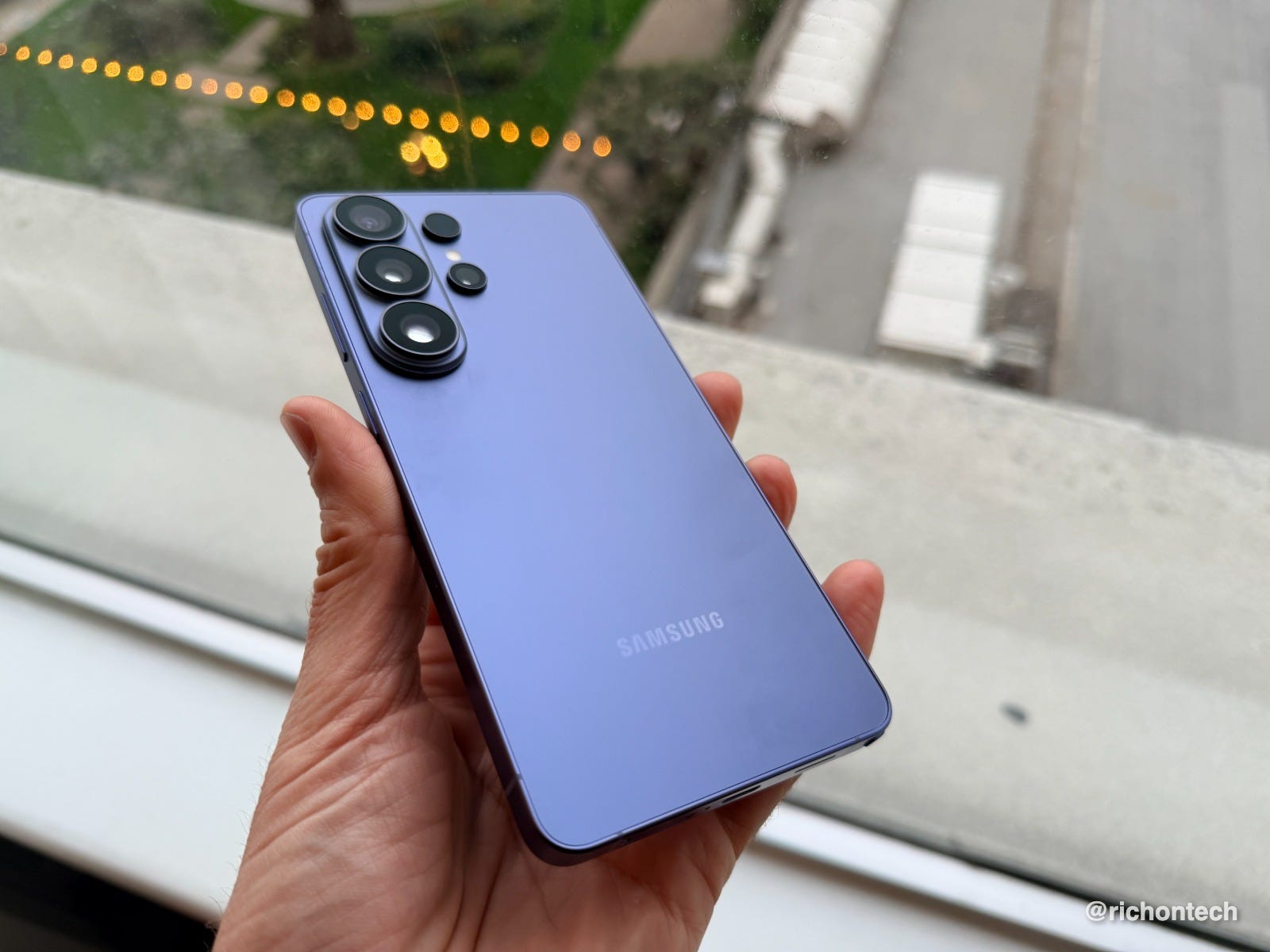
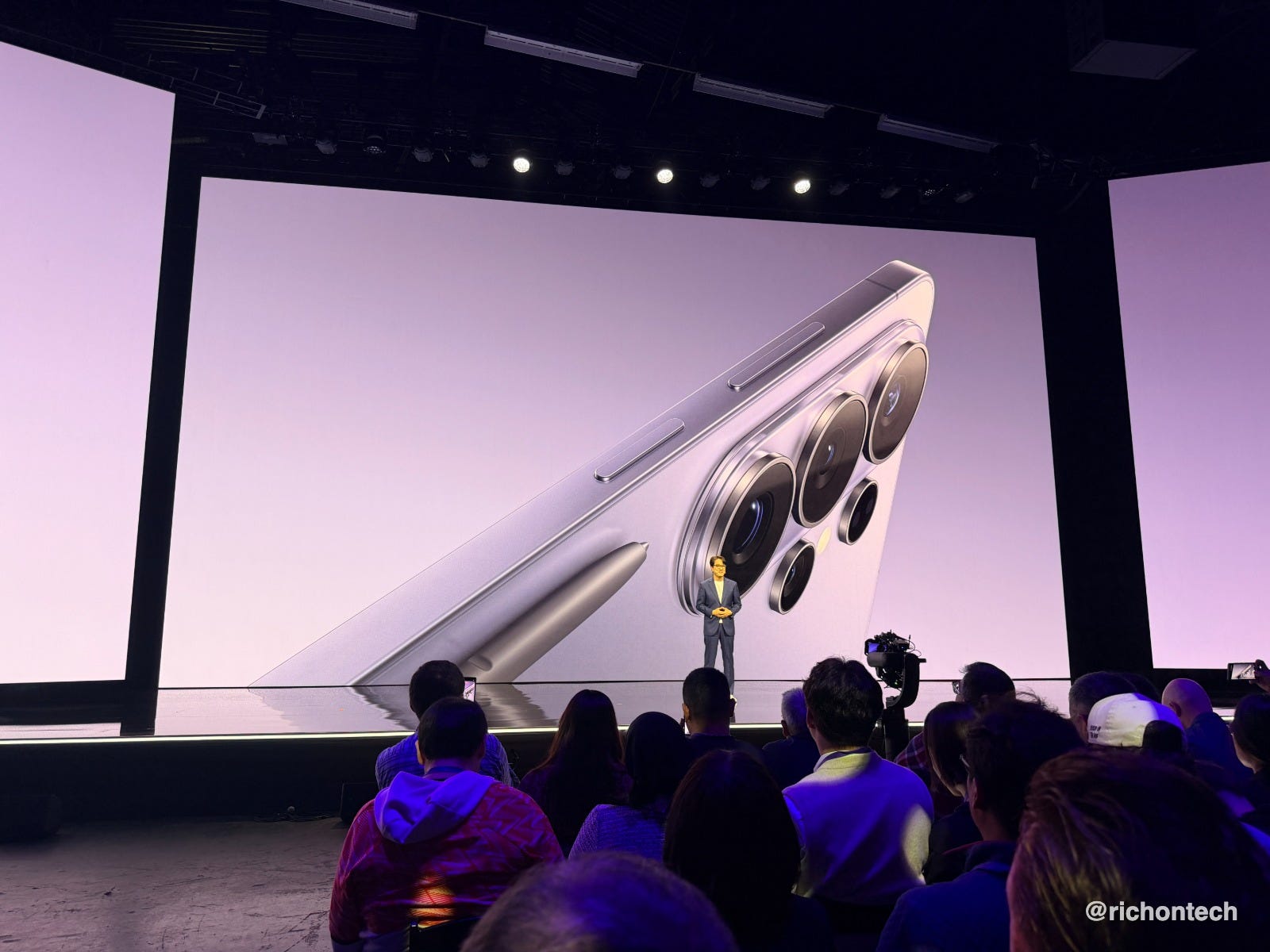
At first glance, the phone looks very similar to previous models. But it is slimmer and slightly rounder than before. You probably won’t notice once it’s inside a case, but in the hand it does feel easier to hold and just a bit thinner.
Samsung also switched materials. The new Ultra uses aluminum instead of titanium. The company says this improves strength, allows for better colors, and makes the phone lighter overall.
Colors and design
The hero color this year is Violet Cobalt. There’s also Sky Blue, White, and Black, plus a few online-exclusive options.
Design-wise, this year is more refinement than reinvention, but the overall fit and finish feel more polished than ever.
Performance and charging upgrades
As expected, there’s a new Snapdragon processor customized for Samsung and some of the biggest improvements are in AI performance. The company also redesigned the internal vapor chamber, which should help the phone dissipate heat faster and maintain performance when you’re using it a lot, like playing a game.
You should notice faster charging across the board.
The S26 Ultra now supports 60W wired charging, which Samsung says can take the battery from zero to 75% in about 30 minutes. Wireless charging also gets faster, jumping to 25W on the Ultra.
The only disappointment: magnets still aren’t built into the phone itself. Instead, Samsung added magnets to its new cases.
I’ve always felt that charging on Samsungs felt fast, now it’s even faster.
Camera improvements (especially at night)
Samsung focused heavily on low-light photography this year.
The company increased the amount of light captured by both the 200-megapixel main camera and the telephoto lens:
47% more light on the main sensor
37% more light on the telephoto
That should translate into brighter, clearer photos at night.
I walked around San Francisco after dark taking photos, and I have to say I’m impressed. Shots capture quickly, look sharp, and come out bright without looking overly processed.
Video also benefits from these upgrades. Samsung is now using AI to individually reduce noise from each lens, improving low-light video quality. From my early testing, videos look noticeably cleaner than before.


Selfie camera changes
Samsung is now using AI for image signal processing on the front camera instead of relying entirely on dedicated hardware. The goal is more natural skin tones and better scene optimization.
The selfie camera is also slightly wider, moving from an 80-degree field of view to 85 degrees, which means you can fit more people or background into the frame.
AI features: actually useful?
Samsung clearly spent a lot of time thinking about AI this year.
I know AI is controversial. Some people love it, others are tired of hearing about it. But Samsung does include several features that are very practical.
Photo editing built into the gallery
You can edit photos entirely inside the Gallery app, including:
filling or removing objects
changing backgrounds
adding new elements
merging images together
In one demo, I took a picture of a cake with a missing slice and the AI rebuilt it to look like it was never taken away. You can even add a pet from another photo into a group shot.
A lot of this resembles what Google and others are doing, which makes sense since Gemini powers much of this stuff behind the scenes.
Creative Studio
There’s a new Creative Studio app that generate stickers and other shareable images from your photos. It feels similar to Apple’s Image Playground.
Smarter document scanning
This might be one of my favorite additions.
Point the camera at a document and a scan button appears automatically. The phone removes shadows, straightens edges, and can combine multiple pages into a PDF. It’s fast and convenient for receipts, paperwork, or expenses.
It’s a big improvement over the previous Scan feature in the camera.
Screenshot organization
Screenshots are automatically categorized into things like boarding passes, coupons, and events. If you’re like me and take way too many screenshots, this is really helpful, but it mimics what Google Photos does.
Audio Eraser expands
Samsung’s Audio Eraser can now reduce background noise not just in your own videos but while watching content in apps like YouTube, TikTok, Instagram, and Netflix. A quick toggle boosts voices and cuts distracting audio in the background, and it works really well.
Agentic AI: your phone doing things for you
Samsung is introducing what it calls “agentic AI,” meaning the phone can take steps on your behalf.
For example, you can ask it to book an Uber or prepare a food order. It won’t complete the purchase automatically, but it will navigate through the apps and bring you to the final confirmation screen.
Right now, this feels a very experimental. In many cases it may still be faster to do things yourself. But I can see the long-term potential, especially for complex tasks like ordering food for a group.
Call screening and scam protection
Samsung is also adding AI call screening similar to features on Pixel and iPhone. The phone can answer unknown callers, ask why they’re calling, and only notify you once it’s gathered the information about the caller. You decide if you want to pick up.
There’s also scam detection that analyzes what you’re saying in a phone call and warns you if something feels off. For privacy purposes, all processing is done on device and it’s only with unknown callers, no one in your address book.
The standout feature: Privacy Display
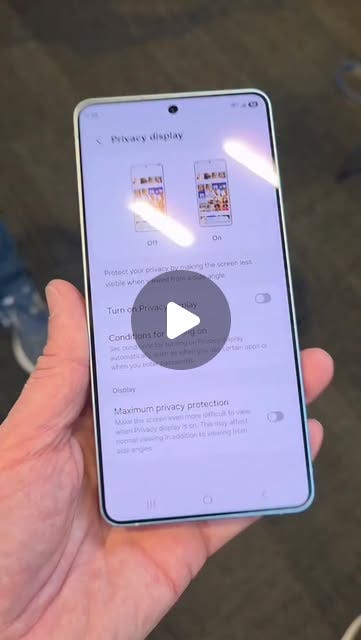
The most talked-about new feature is the Privacy Display, exclusive to the Ultra.
Think of it like a built-in privacy screen protector, except much smarter.
When enabled, people beside you can’t see your screen because the display switches to pixels that only project light straight forward. You can enable it all the time, for specific apps, while you type in a code or just for notifications.
I tested this on a plane while using a banking app and realized the person next to me couldn’t see anything. That’s exactly where this feature will be best: planes, trains, offices, or crowded spaces.
The tradeoff is that the display in general looks a bit different - almost washed out or slightly reflective - when privacy mode is active, so it’s not something I would have turned on all the time.
Pricing and storage
Prices went up slightly for some models this year:
Galaxy S26: $900 (vs $800 last year)
Galaxy S26 Plus: $1,100 (versus $1000 last year)
Galaxy S26 Ultra: $1,300 (unchanged)
The good news is that Samsung doubled the base storage to 256GB, which helps justify the increase.
On the Ultra, the base model is 256GB of storage with 12 GB of RAM, but if you bump up to the 512 GB model, you get 16 GB of RAM, which I think is the sweet spot for a pro phone.
I wish Samsung offered 16GB RAM across all Ultra models, but memory prices are high right now.
My early verdict
After a few days with the phone, this feels like the best device Samsung has ever made.
You might look at the specs and think not much has changed, but the overall polish, performance, and software experience feel more complete than ever.
Traditionally I’ve preferred Pixel phones for their software and camera experience. But Samsung has reached a point where these devices feel just as smart while offering more features, performance and power.
Unless you’re an Android purist, Samsung may now offer the most capable all-around Android phone you can buy.
Of course, I’d still like to see better battery technology, magnets built into the phone itself and perhaps two more programmable buttons, like iPhone’s Camera Control and Action button, but completely customizable.
That said, my experience so far has been excellent. If you’ve been thinking about upgrading, this might be the year to do it. Pre-orders are open now, the phones are available March 11.
My purchasing advice
There are many ways to buy Samsung phones, and one thing to know right away: almost no one pays full price. So don’t do that.
If you’re paying full retail, the best deal right now is through Amazon. They’re selling the phone for $1,300, but at that price you get double the storage. That means the 512GB model with 16GB of RAM, plus a $200 gift card. Effectively, that brings the price closer to $1,100, which is a much better value.
If you already have a recent Samsung phone, Samsung.com is offering trade-in credits of up to $900 depending on your device. They also run a wide range of discounts for teachers, first responders, and certain professions, so it’s definitely worth checking whether you qualify.
Then, of course, there are the carriers, which are also offering aggressive promotions. Just keep in mind that when a carrier advertises a “free” phone, it’s usually delivered as bill credits spread out over a long period of time. In most cases, that means committing to the carrier for up to three years.
My general advice is this: if you already love your carrier, you’re happy with what you’re paying, and they’re offering you the phone for free, go for it. There’s nothing wrong with that.
Links: T-Mobile, Verizon, AT&T
Just understand that if you actually do the math, buying the phone outright and switching to a lower-cost carrier, like an MVNO such as US Mobile, Mint Mobile, or Visible, can sometimes end up cheaper over the long run. It really depends on your situation, so it’s worth running the numbers.
If you purchase through Samsung.com, there’s also an extra $50 discount available when you check out with PayPal using the code PayPal50.
And you know my rule of thumb when it comes to debit versus credit cards. This is exactly the kind of purchase I would put on a credit card for the added protection. Since it’s a large purchase, just make sure PayPal is set to charge your credit card and not directly pull funds from your bank account.
Samsung’s latest earbuds get the basics right
Samsung also unveiled the Galaxy Buds 4 and Galaxy Buds 4 Pro this week. I’ve been using the Galaxy Buds 4 Pro, and I can tell you they sound excellent. They actually sound really good right out of the box, and they’re very comfortable. They’re small, and I especially like the case, which has a clear window on it.
I wore them on the plane, walking around the city, and even on a run. I consider myself a pretty good judge of earbuds. I usually know almost instantly whether I love or hate a pair, and these definitely fall into the “love” category.
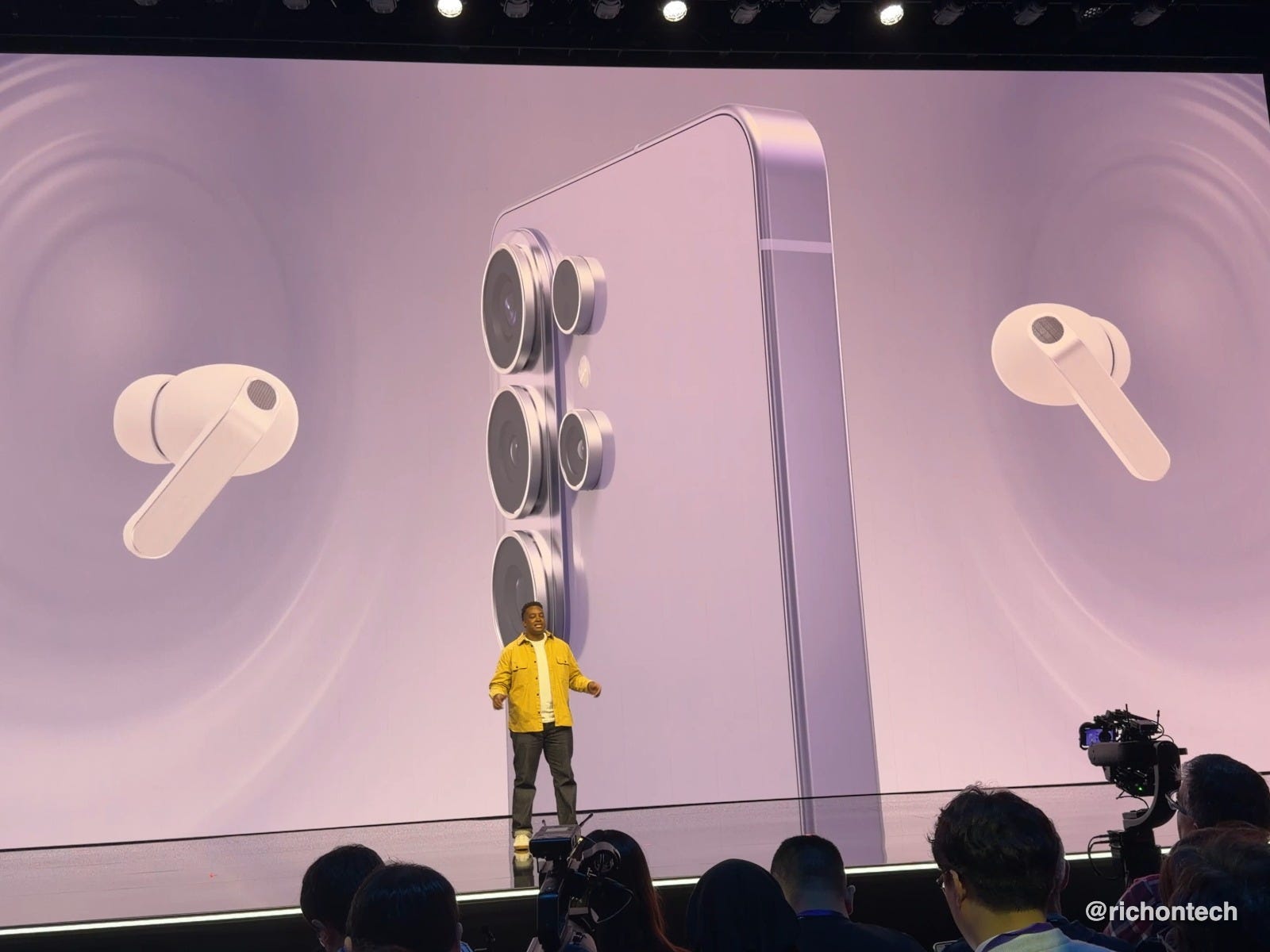
When it comes to the standard versus the Pro model, the Pros include more microphones, along with voice detection that improves automatic noise cancellation. There’s also siren detection, which temporarily turns off noise cancellation so you’re not caught off guard by important sounds around you.
Battery life is also improved on the Pro version, with larger batteries in both the earbuds and the case, allowing for longer listening and talk time. The Pros also feature better in-ear detection, meaning if an earbud starts to slip slightly, the audio automatically adjusts to maintain sound quality.
Pricing is $180 for the Buds 4, $250 for the Buds 4 Pro. Watch for deals and discounts on these for sure.
Tech Tidbits
TextNow, the company that offers a free phone number along with unlimited talk and text and free data for certain apps like Maps and rideshare services, now supports eSIM. That means you can activate its free data service instantly without waiting for a physical SIM card.
1Password is raising prices on its subscription plans next month, with most tiers increasing by about a dollar per month.
YouTube is adding new features to its $8-per-month Premium Lite plan, including background play and downloads. You can now keep videos playing with your screen off or locked, though ads will still appear on music videos and Shorts.
PowerOutage.com is a handy site for checking whether power outages are happening across the U.S. You can also report outages yourself to help update its crowdsourced map.
Wispr Flow, my favorite AI voice-to-text app, is now available on Android. It’s currently free and unlimited during launch. Eventually, users will get a limited number of words each week, or you can pay $12 per month for unlimited usage. [referral link]
Volvo is recalling more than 40,000 EX30 electric SUVs.
Acme Weather is a new weather app from the creators of Dark Sky. Instead of giving a single forecast, it shows multiple possible weather outcomes and collects crowdsourced reports from nearby users. You can receive alerts for minute-by-minute rain, severe weather, nearby lightning, and even notable events like rainbows or amazing sunsets. Their previous app was acquired by Apple. This new app is iOS-only for now, with Android planned. It’s free for two weeks, then costs $25 per year.
Q&A: iPhone popup mystery
Paul in Columbus, Indiana writes:
Rich, you said on your show that the iPhone does not need antivirus. But I keep getting pop-up ads on my iPhone 17. They stay on the screen for about 15 to 20 seconds before the little X appears so I can close them. Why am I getting these in the first place?
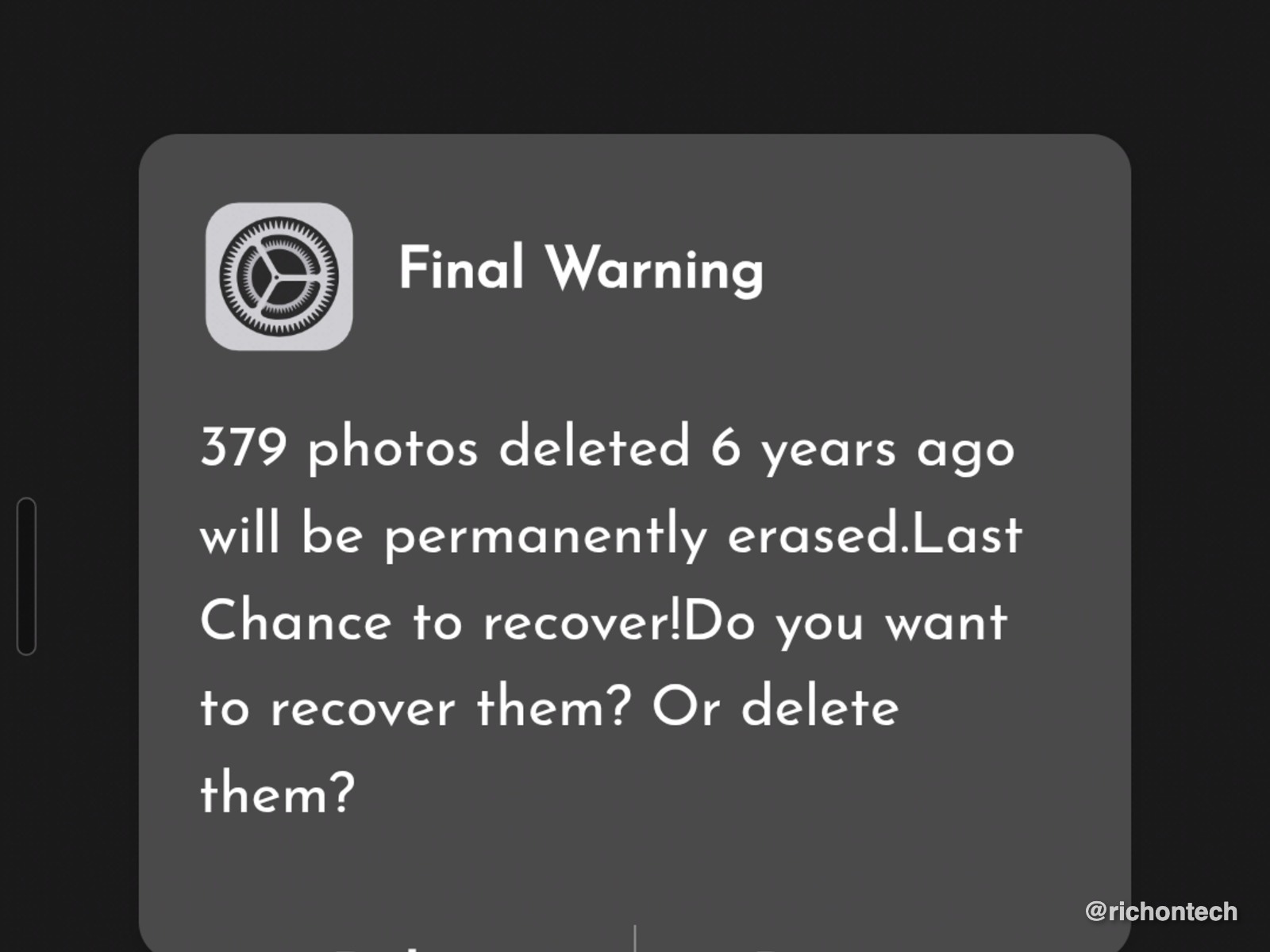
Pop-up ads on an iPhone can happen for a few different reasons. In many cases, they’re simply being served by the website you’re visiting. Another common cause is accidentally allowing notifications from a website, which can then continue sending ads even while you browse elsewhere.
There are a few things you can try.
First, consider using an ad blocker. I like AdGuard, which works across multiple platforms and does a good job reducing intrusive ads.
You can also use a VPN that blocks ads, such as NordVPN, which filters some advertising and tracking before it even reaches your device.
I’d also recommend cleaning up your browser. Close all open tabs, make sure Safari’s pop-up blocker is enabled, and then clear your history and website data in Safari settings. That often resets whatever is triggering the ads.
Hope that helps!
Feedbag
Michaelene in San Diego, CA (podcast listener) writes:
“I listen to you every week on the podcast. Your show has become such a pleasant part of my weekend, and I’ve learned so much from you and your guests that’s helped me personally and professionally. Thank you!”
Marta wrote in to say:
“I love your show. You bring such a wealth of information, even for those of us who aren’t very tech-savvy. Thank you for all your knowledge and help.”
Thanks! You know these messages mean the world to me. That’s going to do it for this issue of the newsletter. If you liked what you read, feel free to forward it to a friend.
Don’t forget to listen to my radio show Saturday at 11:00 a.m. Pacific on KFI AM 640, stream it on the iHeartRadio app from anywhere, or catch the podcast whenever you want.
Have a great weekend,
Rich