
Hello and welcome to another edition of the Rich on Tech newsletter! What a week!
I started it at Zoomtopia. Yes, Zoom has an in-person event. The irony is not lost on me.

It was held at the beautiful Terranea Resort in Rancho Palos Verdes, a place I’d never been before. And two things really stood out to me.
First, the roads… Driving along Palos Verdes Drive South felt like being on the Cars ride at Disneyland. The area has a history of landslides and shifting ground, and you can see the effects on the road. It’s already a winding drive, but add in sections of pavement that are buckling and breaking apart, and it’s quite an experience.
The other thing? It’s absolutely gorgeous.
I’ve always said that events like these aren’t just about the technology. They’re about the people you meet. I connected with some great folks, including fellow newsletter writer Andrew Yeung, who organizes entrepreneur dinners across the country. I already received my first issue of his newsletter and it had some great takeaways.
Another highlight this week was bringing my son to KTLA for a morning at the TV station.
He wasn’t exactly thrilled about the super-early wake-up call, but once he got there, he quickly realized just how fun and dynamic a workplace can be.
He got to do the weather live on TV (and did a great job!), meet Bluey, who was there promoting a new play, and chat with actor Rex Linn, whom he recognized from Georgie & Mandy’s First Marriage and Young Sheldon. A food guest stopped by, so he scored a burger. And to top it all off, Woody from The Woody Show was there, giving him a chance to meet someone I regularly join on the radio.
We also went through some of the gadgets companies send my way, and he got to meet the many people behind the scenes who make live television happen.
The whole experience made me see my job through fresh eyes. I’ve been at KTLA for almost 16 years, and sometimes you forget just how unique your everyday routine really is. Seeing it through his eyes reminded me how lucky I am to work somewhere that’s so energetic, interesting and fun.
Review: I love the iPhone Duo, except when I don’t
I’ve been reviewing foldable phones since 2019, when Samsung invited me to its store in Glendale to check out the original Galaxy Fold. Back then, the outside screen was tiny and the inside screen was fragile.
We’ve come a long way since then.
Samsung, Google and Motorola all make foldables now. None are perfect, but the hardware has gotten really good. The bigger challenge has been software. When you have a device that transforms from a phone into a tablet, apps need to adapt to those unusual screen sizes. And on Android, that experience can still be hit or miss.
Enter Apple.
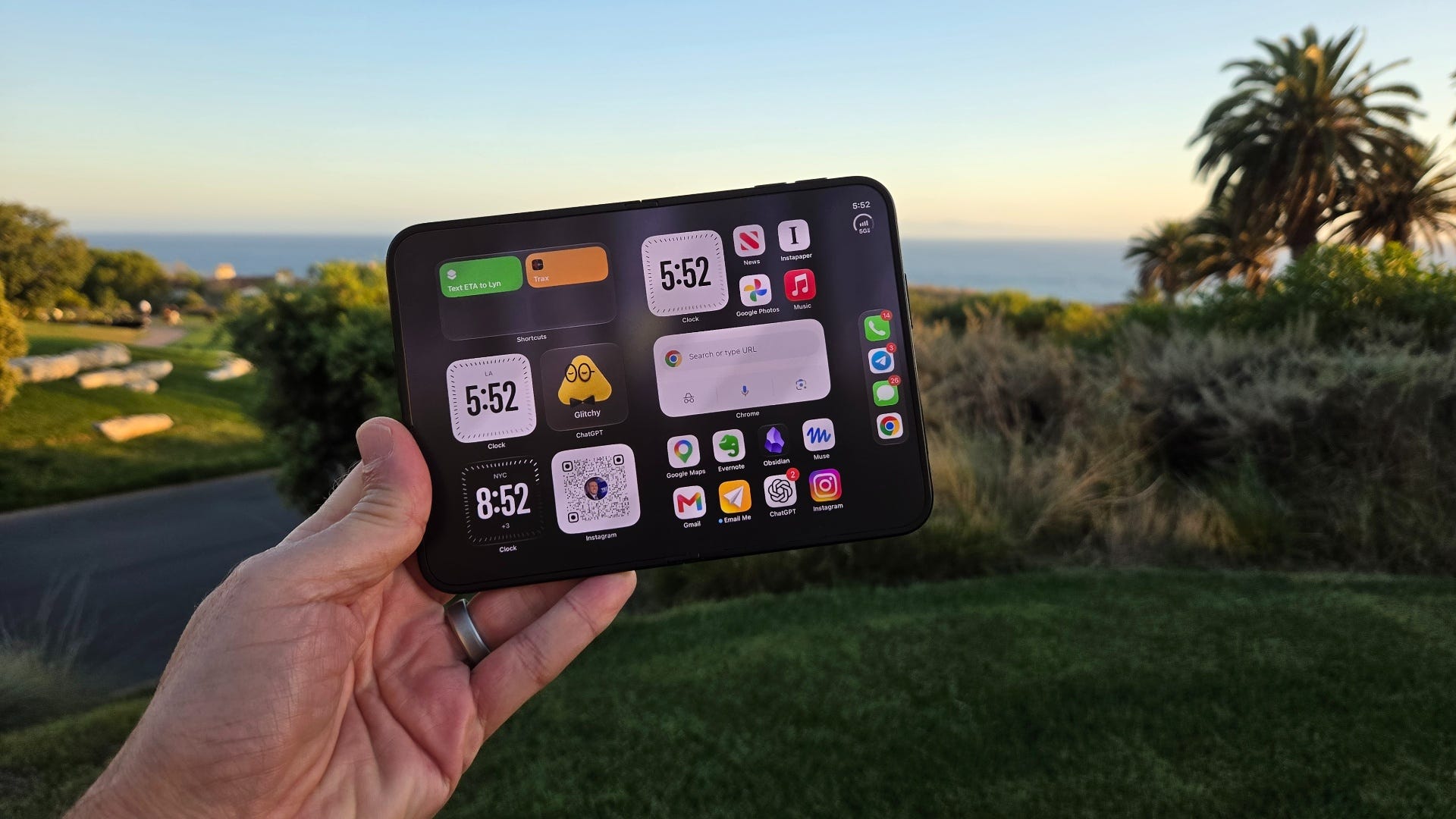
It took seven years, but the company’s first foldable iPhone is finally here. And after using the $2,000 iPhone Duo for more than a week, I can tell you it’s an excellent first attempt.
But I also have some very mixed feelings.
When I first started using the Duo, I wanted to throw it against the wall. Everything I knew about using an iPhone felt different. The screens, the buttons, the way apps behaved, even unlocking the phone.
Then, I started to love it. And now? I’m somewhere in the middle.
The Duo has a 5.4-inch screen on the outside and a much larger 7.6-inch display when you unfold it. The inside screen has a matte finish that looks and feels fantastic, and the crease is much less noticeable than on many foldables I’ve tried.
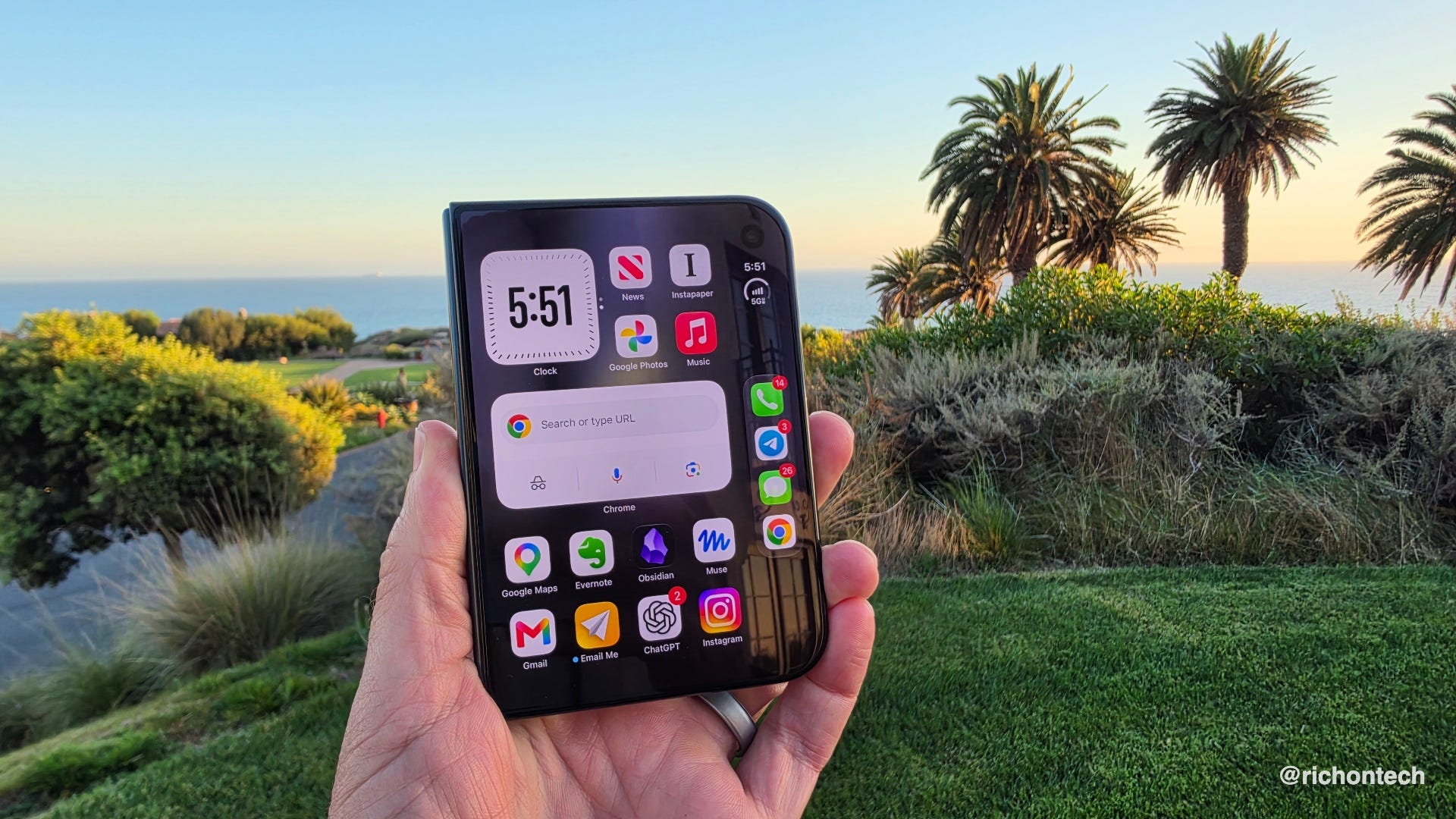
That inside screen is the star of the show. In fact, it might be my favorite tablet I’ve ever used.
Reading websites, browsing the web, watching videos and getting things done are all better with that extra space. I spent a Sunday on the couch watching football with the Duo open, and it was the perfect companion.
There’s another advantage: You don’t need a separate tablet.
Think about it. Your tablet is always charged because it’s also your phone. All your apps are already installed, signed in and up to date. You don’t have to dig out an iPad before a flight, charge it up and download everything you forgot to save.
It’s just a natural extension of the device you’re already carrying. I love that.
The outside screen, however, is another story.
It’s smaller and wider than a typical iPhone display, which makes some apps feel cramped. Controls get moved around, and certain things, especially Instagram Stories, are awkward whether the phone is open or closed.
On the plus side, the Duo feels fantastic in your hand. Apple nailed the size and shape. It’s compact, easy to hold and comfortable to type on, even when unfolded. I actually prefer typing on it vs many Android foldables I’ve tried.
Battery life has also been good. I haven’t had any trouble making it through the day, although wireless charging can be tricky. The phone might not line up properly with a charging pad.
I’ve also noticed that the Duo can get pretty hot during use.
The cameras are another compromise.
You get two rear cameras, a standard wide lens and an ultra-wide, but no dedicated telephoto lens like you’d find on the iPhone 18 Pro models. Photos and videos look perfectly fine for everyday use, but if you like zooming in, the Pro models are more versatile.
And then there’s taking selfies.
One of the coolest things about a foldable is that you can use the better rear cameras while seeing yourself on the outside screen. The problem is actually taking the picture.
Apple came up with a feature called Smart Take, which automatically snaps a photo when you smile or when it thinks everyone is ready. In my experience, it doesn’t work particularly well. My camera roll is littered with awkward shots.
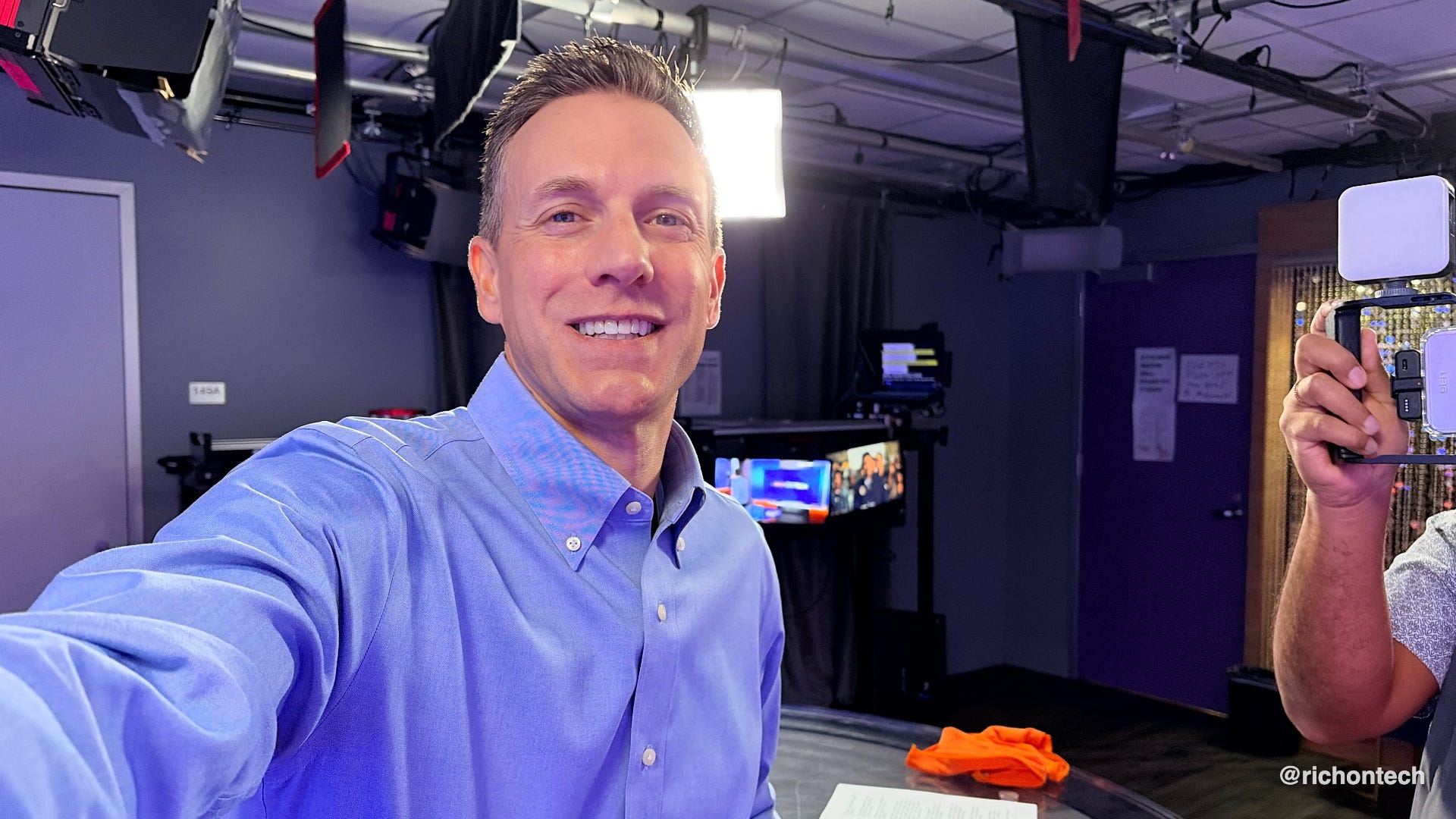
Samsung has a much simpler solution: Hold up your palm or say a keyword to trigger the shutter. Apple should borrow that idea.
There are some hardware details Apple nailed. The Duo has MagSafe for magnetic accessories and IP68 water and dust resistance.
But there’s one thing missing that really bothers me: No Face ID.
Instead, Apple put a fingerprint sensor in the power button. Touch ID works, but it feels like a step backward.
Foldables are already a little awkward because there are so many ways to hold them. The last thing I want to think about is where to put my finger to unlock the phone.
When the Duo is closed, the sensor is on the side. When it’s open, it’s along the top. And that level of friction adds up throughout the day.
The volume buttons are also on top, which takes some getting used to.
Apple suggests using an Apple Watch to unlock the Duo, but I tried that and found it unlocked too often.
Face ID is one of those conveniences you don’t fully appreciate until it’s gone. On a $2,000 iPhone, its absence is a pretty big deal.
Now, let’s talk about something Apple has done really well: apps.
When the first iPad came out, many iPhone apps looked ridiculous on its larger screen. They either appeared in a small window or were blown up to fill the display.
Some Duo apps still have that problem, but I’ve been amazed by how quickly developers have updated their software.
Nearly every app I use regularly has already been optimized for the Duo. And when an app hasn’t been updated, Apple gives you options to expand or rotate it to make better use of the screen.
It’s not perfect, but the progress is real. This is an area where Android foldables have struggled for years, and I think Apple’s arrival will push the entire industry forward.
So where does that leave us?
I think the iPhone Duo is one of the best foldables you can buy. The hardware is beautiful, the tablet experience is outstanding, and Apple has done a great job getting developers on board.
But it’s not necessarily a better iPhone.
If you want a straightforward phone with the best cameras, familiar controls and the convenience of Face ID, I’d stick with an iPhone 18 Pro model.
If you love the idea of having a tablet in your pocket at all times - if you travel a lot, want to consolidate gadgets, watch a lot of videos, the Duo is perfect.
Your personal information is probably all over the internet
Sponsored by Incogni
Ever wonder how complete strangers seem to know your name, address, phone number and even details about your family?
A lot of that information comes from data brokers. These companies collect personal details from public records, websites and other sources, then compile them into profiles that can be sold or shared.
The frustrating part? Even if you find your information and get it removed from one site, it can pop up somewhere else.
That’s why I use Incogni.
Instead of tracking down these companies and filling out removal forms myself, Incogni does the work for me. It sends removal requests to more than 420 data brokers and people-search sites, follows up, and repeats the process regularly.
My latest dashboard shows 825 completed removal requests, another 21 in progress and 169 scheduled. Incogni estimates that handling all those requests myself would have taken nearly 619 hours!
Of course, Incogni won’t erase everything about you from the internet or eliminate every spam call. But reducing the amount of personal information floating around out there is a smart step toward better privacy.
More on my AI Agent…
I’m amazed by how much I’m relying on mine these days.
At Zoomtopia, I could ask, “What’s next?” and my agent would tell me where I needed to be, when I needed to be there and what was coming up. No additional explanation required. It already had the context from my email and calendar.
But my favorite example happened after I noticed a mysterious $43 pending charge from the resort.
I wasn’t sure what it was for, so I asked my agent, Glitchy, to keep an eye on it. Sometimes hotels place temporary holds on your card that eventually disappear.
Sure enough, when the charge went from pending to posted, Glitchy noticed and automatically emailed the hotel asking for an explanation and a PDF copy of my folio. The hotel replied, and mystery solved: It was a parking charge.
Since I’m letting my agent email people on my behalf, I’ve also instructed it to identify itself in every message with a signature: “Sent from Glitchy, Rich’s AI assistant.”
I realize I’m leaning heavily into this technology. You certainly don’t have to. But I’m doing it partly for convenience and partly to see just how far these AI agents can go.
And so far, I’m impressed.
I finally toured a Boxabl tiny home in someone’s backyard
Five years ago, I visited Boxabl’s factory outside Las Vegas, where the company was prepping to build tiny homes that fold up for shipping and unfold on your property, complete with appliances and interior finishes.
Ever since, the company has wanted me to do a follow-up. My response was always the same: I’d love to see one actually installed in someone’s backyard.
Well, it finally happened.
I toured a Boxabl Casita in Long Beach, and it was pretty much as advertised. The 360-square-foot home has a kitchen, bathroom and living space.
The bigger challenge seems to be scaling production and navigating local permitting requirements, which aren’t always designed for this kind of construction.
The home itself starts around $60,000, but once you factor in site preparation, permits, installation and utility hookups, the total can climb to around $150,000.
Are premium headphones worth $400?
This week, I compared four pairs of premium headphones from Nothing, Sonos, Beats and Bose.
At $300 to $400, they’re definitely an investment. But you’re paying for better noise cancellation, sound quality, comfort and features you won’t find on cheaper models. If you travel frequently or wear headphones for hours every day, the upgrade is worth it.
My advice? Wait for a sale. Headphones are often discounted, so there’s little reason to pay full price.
Of the four, I’d lean toward Bose as the best overall choice, especially for frequent travelers. I’d also put Sony’s highly rated WH-1000XM6 on your shortlist.
And if you don’t want to spend that much, check out the Anker Soundcore Space 2 headphones. At around $130, they’re a much more affordable option worth considering.
Tech tidbits
Protect your phone number from being stolen. Scammers can hijack your number through a SIM swap or unauthorized transfer, potentially gaining access to your calls, texts and accounts. Lifehacker has a helpful guide to locking down your number.
Thinking about buying a new Mac? Wait a few days. Apple has an event scheduled in Los Angeles on October 28, and new Macs could be on the way. If you’re considering a MacBook or desktop Mac, I’d hold off until we see what’s announced.
Your car key could soon live in your phone. GM is expanding digital key support to select Chevrolet, Cadillac and GMC vehicles. This isn’t just unlocking your car through an app. We’re talking about a digital key stored in your phone’s wallet that can let you unlock and start your vehicle without carrying a traditional key fob.
Don’t forget about your digital life after you’re gone. PCWorld has a useful reminder to get your digital estate in order. That means making sure someone you trust can access important accounts, photos and documents if something happens to you.
Q&A: Which payment app is safest after getting hacked?
Patricia writes in: My identity was stolen this week. Someone got into my bank accounts, credit cards, Venmo and PayPal. I signed up for Aura, and they recommended avoiding Venmo and PayPal in favor of Zelle or Cash App. Are those really safer alternatives?
First, Patricia, I’m sorry you’re dealing with this. I’d be curious to know how the accounts were compromised, because that’s the most important part of preventing it from happening again.
A lot of account takeovers start with phishing. Someone sends a convincing email or text that tricks you into entering your password or sharing a security code. Never sign in through an unexpected link or give someone a verification code. Instead, open the bank’s app or type its website address yourself.
As for payment apps, I wouldn’t automatically consider Zelle or Cash App safer than Venmo or PayPal. All four are legitimate services, but they have different protections. The biggest risk is sending money to the wrong person or a scammer, since those payments can be tough to impossible to reverse.
Here’s how I look at them:
Zelle: Convenient because it’s built into many banking apps. Best for sending money to people you know and trust. Payments to enrolled recipients typically move quickly and generally can’t be canceled.
Venmo: My favorite for everyday payments between friends and family. Just double-check the recipient before sending money.
PayPal: A good option for online purchases, especially when the transaction qualifies for Purchase Protection. Personal payments don’t have those same protections.
Cash App: Another legitimate option for sending money, although fewer people in my circle use it.
For online shopping, I prefer using a credit card because of its fraud protections. Even better, consider a virtual card number if your bank offers one.
I also like Privacy.com, which lets you create virtual card numbers linked to a funding source. You can set spending limits or restrict a card to a particular merchant. It’s especially useful for subscriptions and free trials because you have more control over future charges.
Feedbag
A few notes from viewers and listeners this week:
Bev watched my son Tanner deliver the weather on KTLA and wrote, “OMG RICH YOUR KID!!!” She said he was a natural and joked that Tanner got to live out her dream of doing the weather on TV.
One listener had some fun with my enthusiasm for AI agents. “If it is holding you captive, blink 3 times,” they wrote. They also wondered whether my agent might eventually coordinate with my wife’s agent to schedule date night. At this rate, I wouldn’t rule it out!
Paul has been a Visible customer since 2018, when he paid $40 a month. Today, he pays $35 for Visible Plus and says he’s getting even more features. “Yes customer service can be an adventure,” he admits, but he’s rarely needed it. It’s not often you hear someone celebrating a lower wireless bill eight years later!
Kerry in South Jersey watched Mayday after hearing my recommendation and wrote, “It was great! Lot of fun. Thanks.” Always happy when a recommendation works out!
One more thing before I go: I’ve finally figured out a way to flag emails from paid subscribers in my inbox. As you can imagine, I get a lot of messages, and I want to make sure I can easily spot the ones from people who help support this newsletter.
It doesn’t mean I can respond to every email, but it does help me prioritize your messages when I have time to reply. Just a small way of saying thank you for your support.
And whether you’re a free or paid subscriber, please know how much I appreciate you being here!
Rich
Good morning, Rich
I started to read your Saturday Newsletter and will finish after my morning walk. But first a couple of notes:
-I realized that a $2k iPhone can’t be secured with a protective case
- I have been writing a quarterly Real Estate Newsletter for my elderly, longtime homeowners since 1997!
Plus I self published a new book: Realtor Secrets: Lessons They Don’t Teach In Class on Amazon
- many years ago I first saw your two boys on a KTLA feature where they were trying new Christmas toys. They were so adorable that I wrote and suggested a periodic feature of them testing technology for kids’ use. Sweet how the “weatherman” has grown.
Enjoy the day!