I learned a tech lesson the hard way
Plus AI wine recommendations, retro photos & my travel pillow falls flat
Happy Holidays!
Hope the season has been good to you. I still can’t believe how fast this year flew by.
In today’s newsletter, I’ve got a story about learning an Amazon Echo lesson the hard way, I’m back to building my own personal AI bot, this time for wine, and some of you shared your retro Santa photos with me. Let’s get right into it.
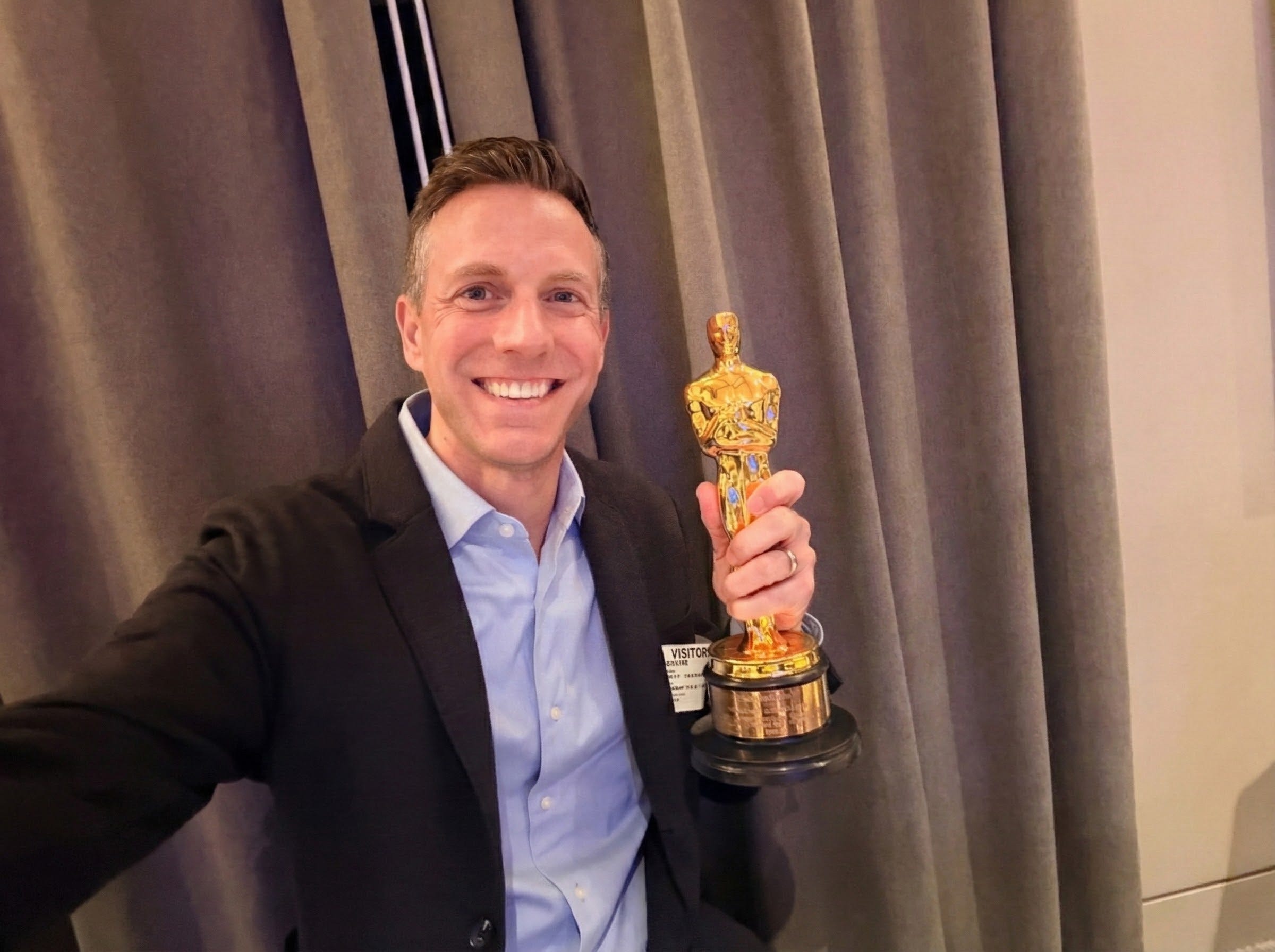
First up this week, I had a chance to visit Amazon Studios in Culver City. What’s wild is I actually interned there years ago, long before Amazon took over, back when it was Columbia TriStar. At the time, they were producing Dawson’s Creek, and I remember how exciting it was to watch the dailies, which came in from North Carolina.
That internship is also where I caught the screenwriting bug. I ended up writing one screenplay and a couple of TV scripts back then. Even crazier, the person I interned for now runs Apple TV Studios. Small world.
Amazon Echo event
I was at Amazon Studios for an Echo event where they demoed their two new speakers: a smaller Amazon Echo Dot Max and the top-of-the-line Amazon Echo Studio.
We sat through a demo to hear what these speakers can do, followed by a fireside chat with Oscar-winning composer Kris Bowers. Hence the photo of me holding an Oscar.
Chris talked about how immersive audio, which is now very commonplace, has changed storytelling in movies and TV. He worked on The Wild Robot and The Last Repair Shop, and had some great insights on how sound shapes what we see on screen.
Two quotes from Kris stuck with me. The first was on sound:
“Sound shapes what we see. There’s so much about sound we don’t realize that defines how we experience a story.”
The other one on creativity:
“I chase the naivete of being a kid. When you’re young, fear doesn’t stop you. You just try things.”
One thing I didn’t realize until this event: you can pair up to five Amazon Echo speakers with a Fire TV device for instant surround sound. The setup is easy. You plug in the speaker, follow a five-minute setup on your Fire TV screen, and it plays audio to calibrate everything to your room.
Amazon gave me a demo unit to take home. I set it up immediately and was impressed, so I ordered three more speakers to build out a full surround sound system. That’s when I learned the hard way that all the speakers have to be the same model. I had smaller ones in the back and larger ones up front. That doesn’t work.
Just a heads up if you’re thinking about doing this yourself. I’ll finish the setup properly soon and can’t wait to watch a movie in full surround sound. This will replace my aging Sonos system in the living room. I’ll keep you posted.
Quick Fire TV tip
While setting up my Fire TV again, I picked up a useful tip. When you first turn it on, Fire TV automatically plays ads. Sometimes they’re videos. Sometimes they have sound. If that drives you nuts, you can turn it off.
Here’s how:
Go to Settings > Preferences > Featured Content
You’ll see two toggles: Allow Video Autoplay and Allow Audio Autoplay
You can change these to your liking.
Building a personal AI wine guide
Remember how I told you I built my own personal AI book recommendation system?
I figured, why not do the same thing with something else I enjoy: wine.
I spent about an hour going through my photo library, pulling every picture I could find of wine bottles I’ve photographed over the years. I dumped them all into one big list and fed that into ChatGPT as a project.
Then I gave it a simple instruction:
Check the list of wines I like and compare it against whatever I give you. Tell me if I’d like that glass or bottle.
Now I can upload a photo of a wine list at a restaurant, snap a picture of a bottle label, or just type in the name of a wine. ChatGPT gives me a detailed breakdown of whether I’d like it or not, including the style, flavor profile, and how it compares to wines I already enjoy.
This is especially useful at restaurants, where the wine list can be full of names I’ve never heard of. It makes it much easier to find a glass I’ll actually enjoy, and one that fits the price range I want to pay.
Sponsored: Is Your Personal Data Fully Protected?
If that question made you think, the answer is probably no.
These days, so much of our personal information lives online. Data brokers use it for all sorts of purposes — some legitimate, but plenty not. And that opens the door to bad actors who can obtain sensitive details like your Social Security number, date of birth, or phone number. Not good.
Before you slam your phone down over yet another scam call, here’s a better option: Incogni.
Incogni scrubs your personal data from the web, removing it from “people search” sites and thousands of other databases that expose your private information. It’s a one-stop solution for protecting your digital identity.
Sign up for Incogni today and use my code RICHONTECH at checkout to save.
OnePlus 15 review highlights
This week I shared my review of the OnePlus 15.
The bottom line: this $900 phone, or $800 with any trade-in, is a powerhouse. The speed is excellent, the software is smooth, and the battery life is impressive.
AI on the Apple Watch, for now
It’s a shame there’s no real AI option on the Apple Watch just yet. ChatGPT doesn’t have an Apple Watch app, and Google Gemini doesn’t either. Don’t even get me started on Siri's failure to show any AI smarts after 3+ years of ChatGPT’s game-changing introduction.
In the meantime, I’ve been testing an app called Chirp. It’s not perfect, but it gets the job done.
You add a complication to your Apple Watch face, tap it, and ask a question. Chirp sends the request to Google Gemini, and the response shows up right on your screen.
Free accounts get seven messages a day. You can upgrade if you need more.
Side note: the same developer also makes a tiny web browser for the Apple Watch called Ant Browser.
Tech tidbits
• OpenAI and Disney are teaming up on a reported $1B deal that will let users generate AI images and videos featuring popular Disney characters.
• Android phones can now live-stream video to 911 operators. iPhone added a similar feature last year.
• You can now text photos directly to Aura Frames. No app required.
• Mint Mobile is offering a year of home internet and wireless service for $40 a month.
• The Pebble Index 01 is a privacy-first smart ring designed for quick notes and voice memos.
Retro mall Santa photos, reader edition
I shared how you can create a retro mall Santa photo using Google Gemini AI, and a few of you took it to the next level.
Reader Danny uploaded an actual photo of himself with Santa from 66 years ago. He fed it into Gemini, used Nano Banana, and asked it to add clarity and color. He said the AI did not disappoint and now he’s fully hooked on Gemini.


Reader Candice went a different route and had a little more fun. She generated a nostalgic Christmas photo of herself sitting on Santa’s lap and sent the AI image to a group text with her siblings.
The responses were immediate and hilarious:
“OMG” from her older sister
“Beautiful” from her niece
“Where did you find those?” from her younger sister
She waited a bit, then replied: 2025.
Her favorite was her brother chiming in with, “I remember those from 70 years ago.”
Everyone laughed hysterically. (I guess no one noticed the Gemini watermark in the corner)
Travel pillow reality check
Meanwhile, reader Charles sent in a note after buying the Trtl travel pillow that I’ve spoken so highly of. Let’s just say it did not go as planned.
“First time trying it out since I acquired one. I’ve been sitting in my seat just 10 minutes and already been asked twice if I broke my neck :-) I also find it uncomfortable. I think it’s too tall for my neck. My wife thinks it looks really funny too, and that’s the worst. I will give it a second shot later in the flight.”
Charles even offered to send me the pillow as an early Christmas gift. I declined.
That said, my wife did buy one after hearing me rave about it, and she’ll be the real test on an upcoming flight. She has a tough time sleeping on planes, so if it works for her, it’s truly a winner. I’ll report back.
Charles also shared a travel tip: If you’ve ever tried plugging your charger into those loose in-seat power outlets and had the cable constantly fall out, try using an international adapter. He says they fit much more snugly and stay put.
Kind words
In the spirit of the season, I want to share some kind notes that came in recently. I really appreciate you taking the time to tell me this stuff.
Shea writes:
“I love listening to your show and love the way you are incorporating your kids into it as well. Bless you and your family this holiday season from a loyal listener in South Georgia.”
Ralph in Northern California writes:
“Thank you for all of your valuable information in your newsletters and on TV.”
Lorie:
“P.S. Love the show. It’s very helpful, especially since I have a hard time with all this technology.”
Don writes:
“A continuing thank you for the work you do, and enjoy doing, trying to make tech simple enough for common folks to understand.”
Mike in Youngstown, Ohio writes:
“Love your radio show. Thank you. I listen on iHeartRadio, WKBN 570 in Youngstown, Ohio.”
And Jonathan writes:
“You include things for the tech beginner, but also the tech geek, like me. I always find something useful or interesting.”
Thank you all for the kind words and for tuning in, reading, and being part of this community. It really means a lot.
Alex in Colorado writes:
“I hope I haven’t missed this, but it would be great to have a picture of Bobo in your newsletter to put a face to the voice.”
Good call, Alex. Here you go. He’s been running the board for my radio show for the past three years, and that’s been his nickname since he was a kid.
And speaking of kids, congrats to him on welcoming a new baby boy into his life.
That’s going to do it for this edition.
You can catch me live on KFI from 11 AM to 2 PM PT, or stream the show on iHeartRadio. There’s also a rebroadcast Sunday nights at 5 PM PT on 710 WOR in New York.
Or subscribe to the podcast and never miss a show.
Rich


