
Instagram just added a handy way to see why certain Reels show up in your feed. You can now check the specific interests Instagram thinks you’re into and update them on the spot. It’s a simple way to fine tune what you see.
Here’s how to access it.
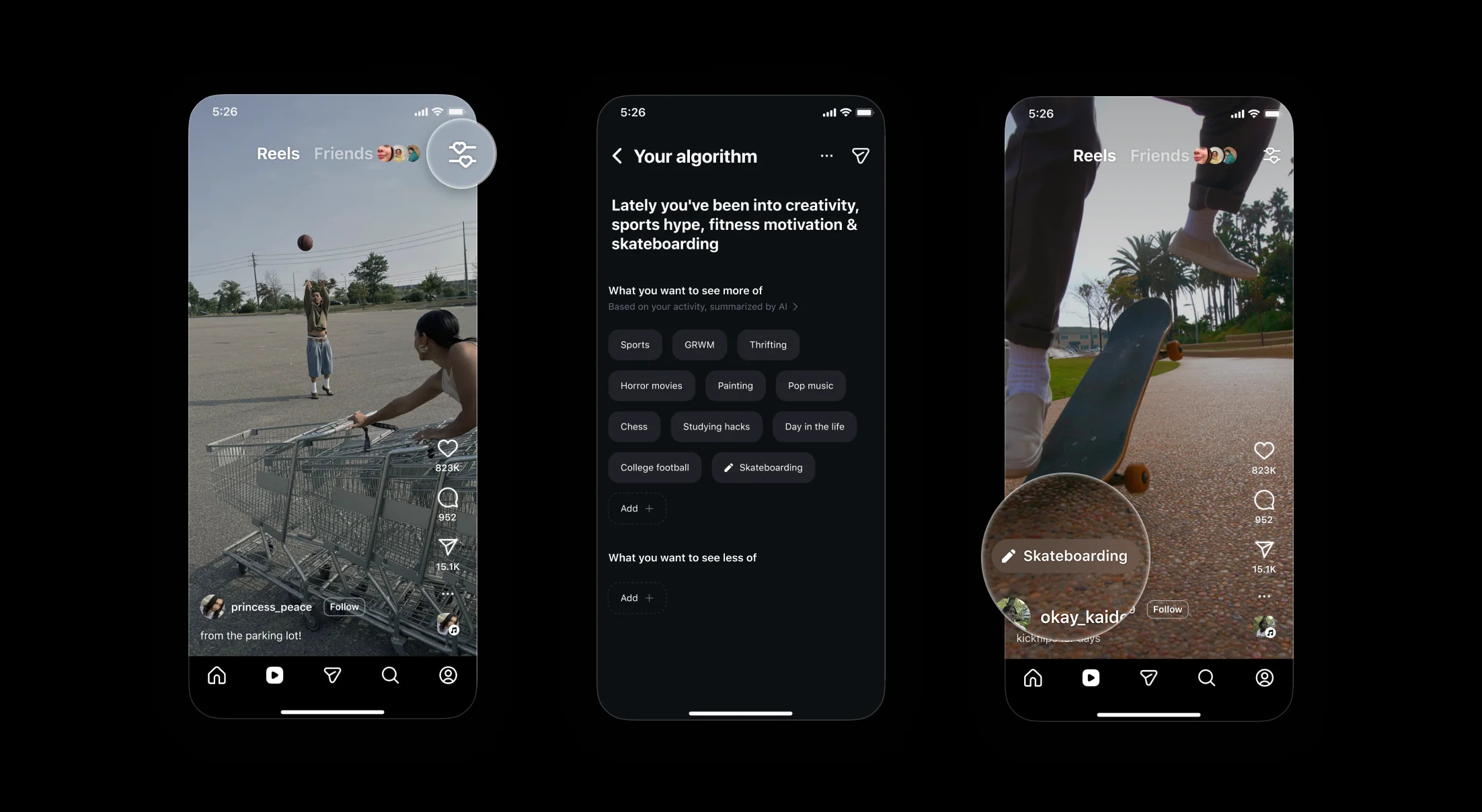
How to see your Instagram Reels algorithm
Open Instagram.
Tap the Reels tab at the bottom of the screen.
In the upper right corner, tap the icon with two lines and little hearts.
You’ll now see the interests Instagram has assigned you based on your activity.
Add or remove interests to fine tune what shows up in your Reels feed.
This feature makes it easier to take control of your recommendations instead of feeling like the algorithm is a mystery.