
Hello and welcome to another edition of the Rich on Tech newsletter!
This week was busy, even though I was in LA the entire time (whew!). I had two late-night outings on school nights. Well, work nights. You know what I mean.
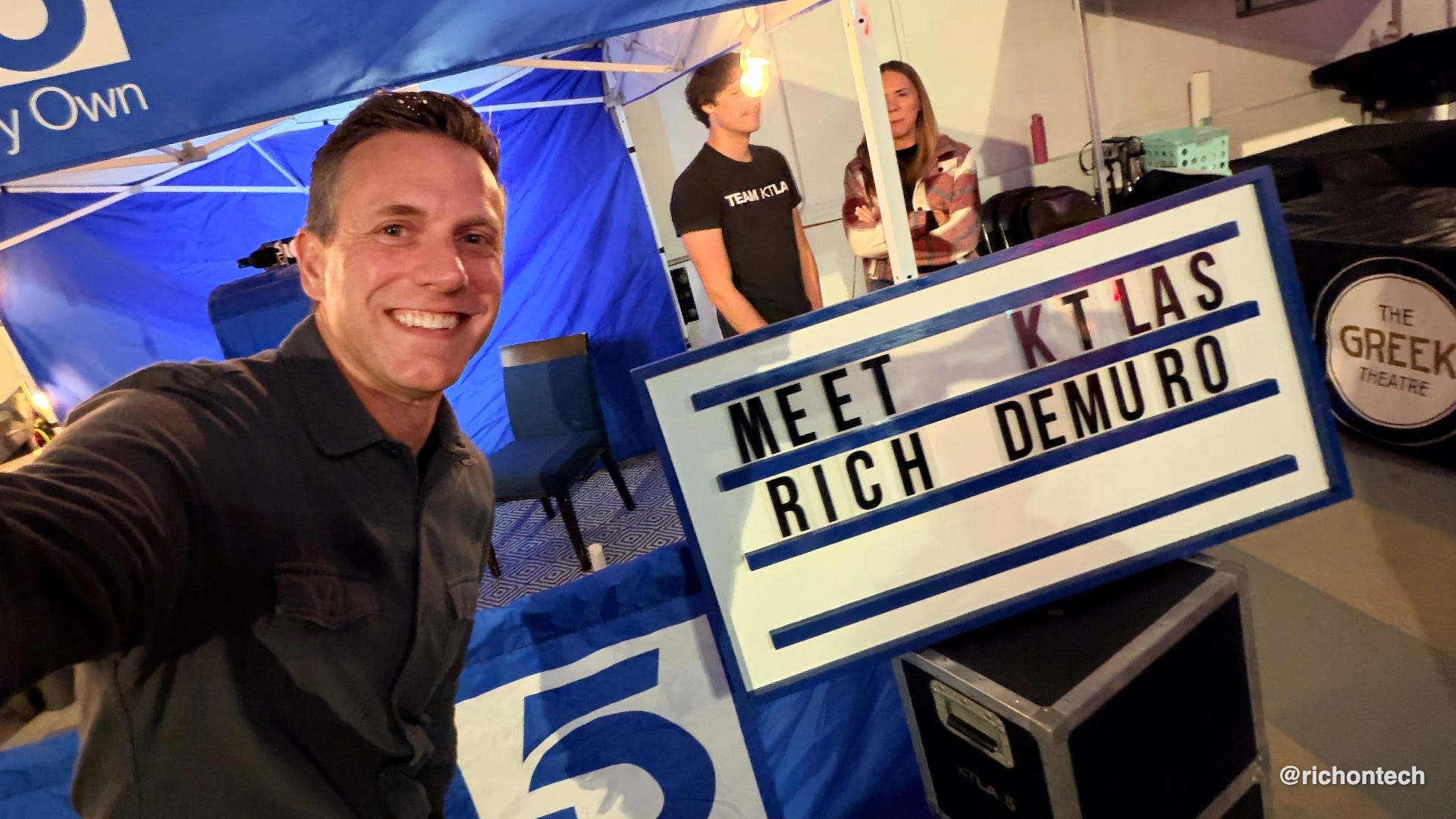
A little country music
The first was an Ella Langley concert. I was going to call her an up-and-coming country artist, but she’s actually pretty well established. She sings that song “Choosin’ Texas” - I’m sure you’ve heard it.
Anyway, she put on a great show at the Greek Theatre in Los Angeles, one of my favorite venues because it’s relatively small and intimate. Even though she’s a huge star, the show almost felt like being at a country fair in the South, listening to an undiscovered artist.
I also did a little KTLA meet-and-greet, so I got to say hi to some of our viewers, which was fun.
Remembering Bald Bryan
Thursday night was a little more somber.
As you know, my pal Bald Bryan recently passed away. He was a mainstay on the Adam Carolla Show for many, many years.
Over the past decade, he’d been filming a documentary about his struggle with cancer. I never got to watch it with him while he was alive, but I attended a screening Thursday night.
The movie was funny, crude, and filled with Bryan’s signature quick wit and sense of humor. His personality really shone through.
It’s called Growth. It’s not available on streaming services just yet, but they’re hoping to find a distributor. If you get a chance to see it, I highly recommend it.
It was a really nice way to honor Bryan.
Why I switched back to Obsidian
This week, I switched back to Obsidian as my primary note-taking app. I know, I know. I’ve probably tested 10,000 note-taking apps at this point. So why return after spending so much time with Notion and Evernote?
The biggest reason is that Google Drive now supports Markdown files, a universal format that makes notes easier to view and access. Combine that with ChatGPT’s ability to work with Google Drive, and things get interesting.
I basically had ChatGPT take over my computer and configure Obsidian exactly how I wanted it. And what did I want? Evernote!
So now Obsidian looks and feels a lot like Evernote, but with some big advantages. It works on iPhone, Android, Mac, and Windows, which is a must for me. And unlike many note-taking apps, your notes are stored as regular files rather than locked inside a company’s proprietary system.
I’m keeping mine in Google Drive, but I can move those files wherever I want. No complicated exports or worrying about a company shutting down or changing its pricing.
I’ll keep you posted on how this experiment goes!
I’m becoming an AI agent believer
I’ve been having ChatGPT do just about everything for me lately. I even asked it to summarize everything it had accomplished over the past week, and the list was pretty remarkable.
What makes these AI assistants so useful comes down to three things.
First, they remember things. With access to your calendar, email, and files, an assistant can understand what you’re working on and remember the little details about how you like things done.
Second, they can use a web browser. Instead of just telling you how to do something, they can actually visit websites and perform tasks for you. Unfortunately, some companies, including Amazon, are blocking AI agents from accessing their sites. I think that’s a mistake. I’d happily have my assistant, Glitchy, do all my Amazon shopping!
Third, they’re proactive. My assistant can keep an eye on things like email and flag something that needs attention. It might say, “Hey Rich, you just got this email. Want me to respond?” And with my permission, it can actually send the reply.
I’m becoming convinced this is the future of technology. Instead of opening a bunch of apps, we’ll simply tell our assistants what we want. Order food, send a text, research a product, or make a reservation. The AI will figure out the rest.
A couple of months ago, I wasn’t sold on this idea. Now I’m a believer.
If you haven’t tried an AI agent yet, give one a shot. The ChatGPT Dot I’m using requires a pricey Pro subscription, but Meta’s Muse offers a free way to start experimenting.
How to find and cancel subscriptions you forgot about
One of the most common questions I get is, “How do I find, manage, and cancel all these subscriptions I’m paying for?” This week, I did a quick TV tip showing you exactly how.
I started with the basics. You can go old school and print out your credit card statements, then highlight all the recurring charges. Or you can get a little more high-tech with tools like Rocket Money, Meta’s Muse, ChatGPT Finances, or Monarch Money. Just keep in mind that some of these services have a cost of their own.
I also show you where to look for subscriptions that might be hiding in places you wouldn’t think to check.
If you’re ready to untangle your web of subscriptions and potentially save some money, check out my story below.
Want less spam? Start with your personal information
Sponsored by Incogni
One of the questions I get most often is how to stop spam calls, unwanted emails, and scammers who seem to know way too much about us.
Just this week, William wrote asking about the various privacy and security services he keeps seeing advertised. He wanted to know if there’s one product that can protect his computer, reduce spam, and keep his personal information private.
The answer is that these products do different things. Antivirus software protects your devices, while services like Incogni focus on removing your personal information from data brokers.
These are companies that collect details like your name, address, phone number, and even information about your relatives. They build profiles about you and sell or share that information, often without you realizing it.
That’s why I use Incogni. It sends removal requests to data brokers on my behalf and follows up to help keep my information off their lists.
My latest monthly privacy report just arrived, and according to Incogni, it’s completed 826 removal requests for me, with another 24 in progress.
Incogni estimates that doing all this manually would have taken me more than 619 hours. That’s its estimate, of course, but I certainly wouldn’t want to spend my time filling out hundreds of removal forms!
Now, Incogni won’t eliminate every spam call or scam email. It isn’t antivirus software, and it can’t erase your information from the entire internet. But reducing how widely your personal information is available is a smart step toward better privacy.
Get 60% off Incogni. Use code RICHONTECH at checkout
A better way to clean up your iPhone photos
I’m typically not a fan of those iPhone cleaner apps that promise to speed up your phone and clear out all kinds of junk. The way iOS is designed, apps can’t just dig through your entire phone and clean things up. But they can help you organize and delete unwanted photos and videos.
I’ve recommended Clever Cleaner in the past, and it’s still an excellent option. But I recently discovered another app called Flic, and I really like it.
Think of it as Tinder for your camera roll. You swipe through your photos and decide whether to keep, delete, or favorite each one. The free version gives you 50 swipes a day, which is pretty useful.
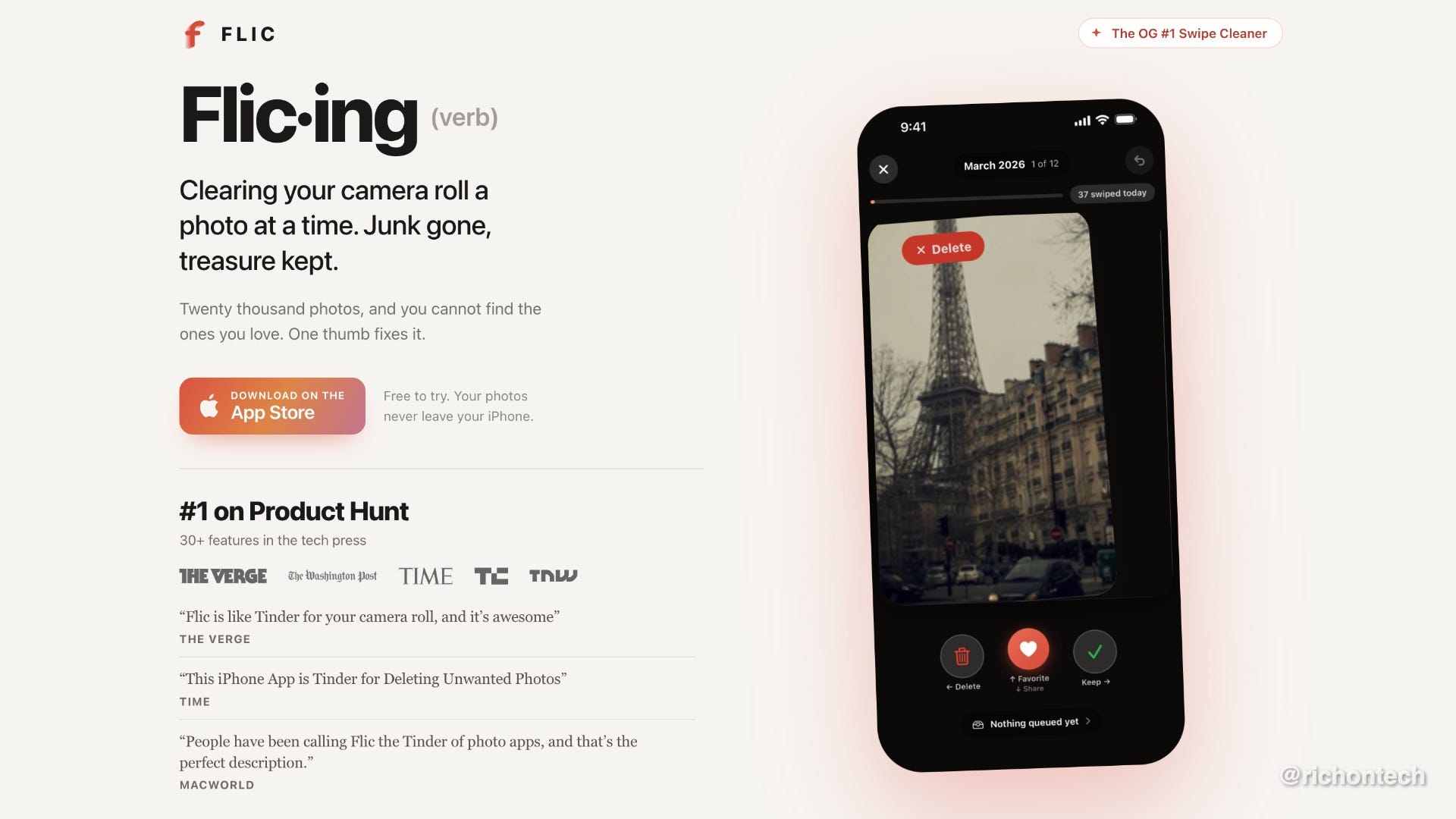
I typically go through my photos at the end of each day or week to delete the ones I don’t need. Flic just makes that process easier and a little more fun.
It also has some clever features powered by AI. There’s a “Your Best 25” feature that resurfaces great photos you might have forgotten about, including ones you never favorited. It can also help identify screenshots, large videos, blurry pictures, similar photos, and other junk that’s taking up space.
The free version lets you preview three of your Best 25 photos each day. To unlock unlimited swipes, all the AI tools, and the full Best 25, you’ll need Premium. That costs $6.99 a month, $39.99 a year, or $49.99 for lifetime access. I like that there’s a one-time purchase option instead of yet another subscription.
Another nice touch is privacy. According to the developer, all the AI processing happens directly on your iPhone, so your photos aren’t uploaded to the cloud for analysis. You don’t even need to create an account.
Amazon’s new Alexa tablets are impressive
One thing I’m a huge fan of so far is Amazon’s new Alexa tablets. The company sent me the top-of-the-line Alexa Pro 12 with the nano-texture screen to check out, and it’s just as good as I hoped.
The build quality is excellent, the screen looks fantastic, and everything feels nice and speedy. But the biggest improvement is that these tablets finally have access to the Google Play Store!
If you’ve ever used one of Amazon’s older Fire tablets, you know how frustrating the lack of Google Play could be. You couldn’t easily download everyday apps like Gmail, Chrome, or YouTube without jumping through hoops. Now you can install them just like you would on any other Android tablet.
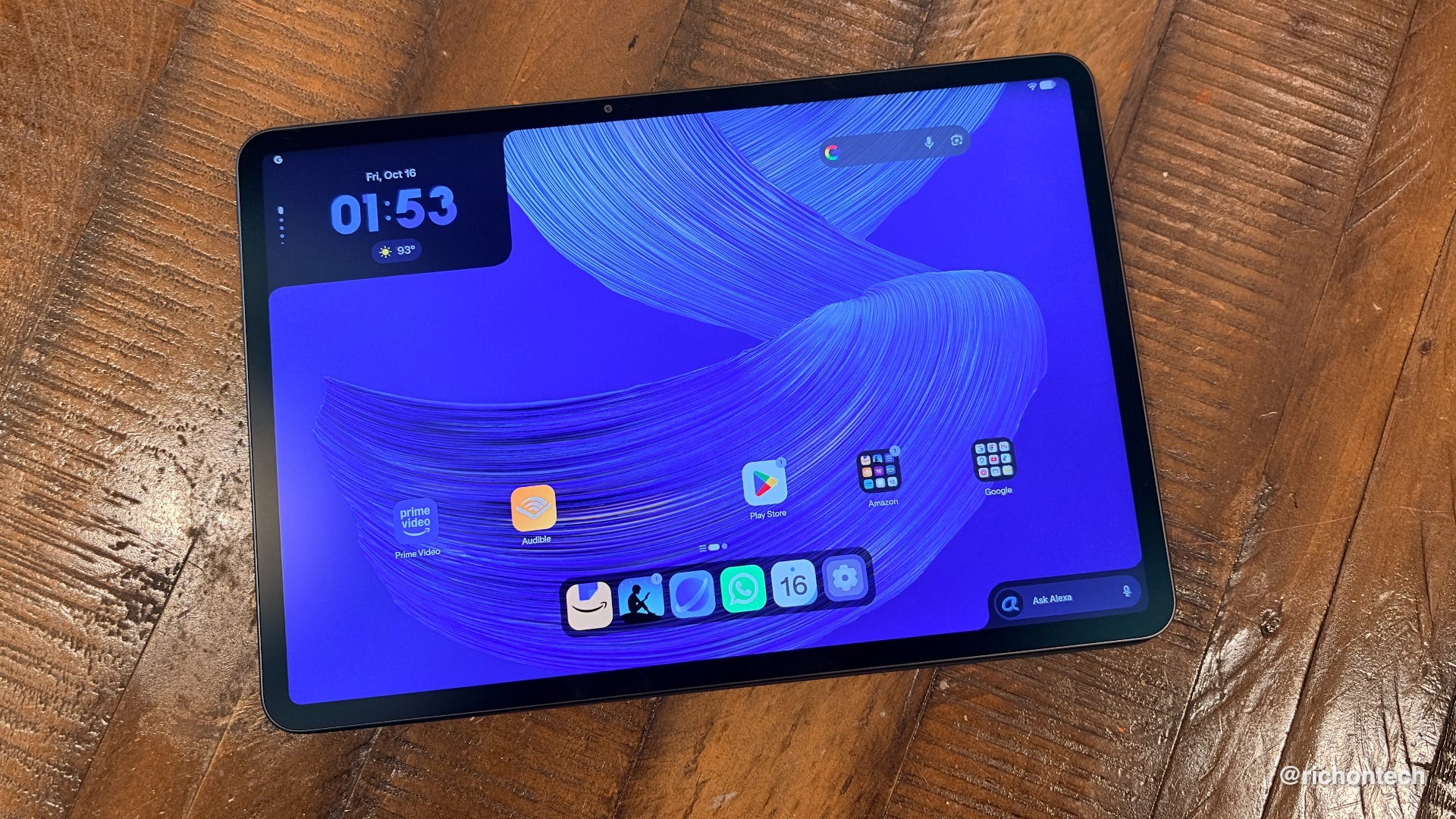
The software is pretty nice, too, although Amazon has preinstalled just about every app and service it offers. It’s similar to what Samsung does with its phones. Most of these apps can’t be uninstalled, although you can disable them. Not ideal, but I guess that’s what you get with an Amazon device.
One feature I really like is the distraction-free reading mode that kicks in when you open a Kindle book. Combine that with the special anti-reflective screen, and you’ve got a pretty compelling reading experience. I’m typically not a fan of reading books on a tablet, but this might change my mind.
I’m still putting the Alexa Pro 12 through its paces and will have my full review soon. But my first impression? Amazon may have finally made an Android tablet I can recommend. I can already see this becoming an excellent travel companion.
My first impressions of Google’s new laptop
This week, I also shared my first impressions of Google’s new Googlebook laptops. They’re not Chromebooks. Instead, they run a desktop version of Android, with many of the familiar features you’d find on a Pixel phone.
Unlike traditional Chromebooks, these machines are designed to run Android apps, which is a big advantage. You also get the benefits of a secure operating system that’s generally less susceptible to traditional computer viruses.
I’m still trying to figure out exactly who these laptops are for, though. I think a Mac or Windows laptop is much more versatile for most people.
And then there’s the price. Googlebooks start around $900, which feels like a lot for something so new. If they were half that price, I think they’d be a much easier sell.
Tech tidbits
iPhone Duo sells out almost instantly. Apple’s first foldable iPhone went up for preorder Friday, and shipping dates quickly slipped into January 2027. The $1,999 phone officially arrives October 23, but good luck finding one. Apple Stores may have limited inventory on launch day.
Mint Mobile has a killer anniversary deal. To celebrate 10 years, Mint is offering new customers six months of service for just $60, including its Unlimited plan. That’s $10 a month on T-Mobile’s network. Just remember, regular pricing kicks in after the promotion, and Mint still doesn’t support cellular Apple Watches. Otherwise, it’s one of my favorite prepaid carriers.
ChatGPT gets a lot more useful in Chrome. The updated ChatGPT Chrome extension can now see your open tabs, making it easier to compare products, summarize articles, and answer questions about what you’re viewing.
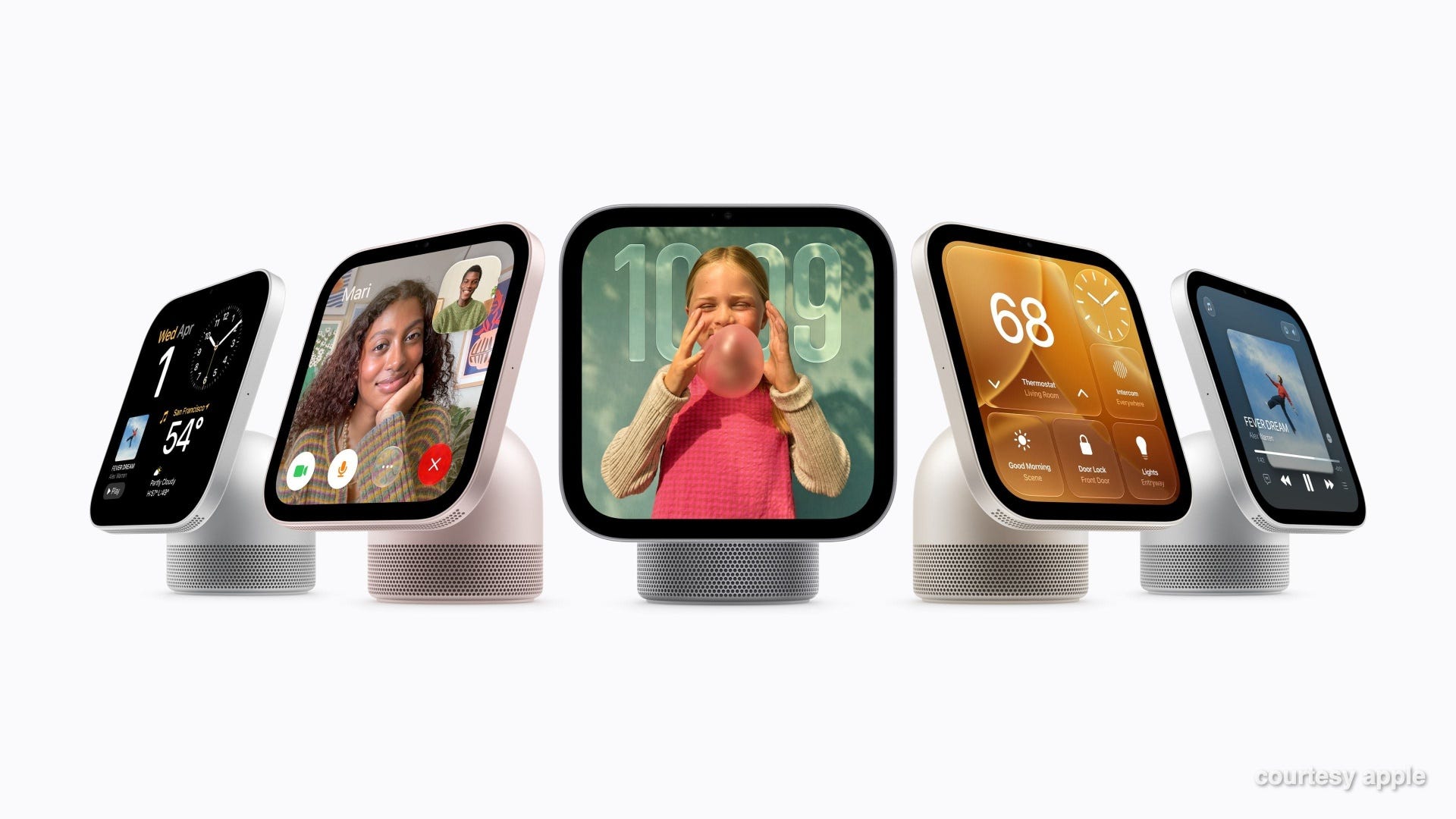
Apple introduces HomeView. Think of it as a $299 smart home control center with a 7-inch screen, FaceTime, music, and a smarter Siri. It can sit on a countertop or be mounted on a wall. The biggest limitation? No traditional App Store, so you’re restricted to Apple’s built-in features and supported services. It arrives November 13, and I’ll have more thoughts once I try it.
Amazon’s Bee gets two new designs. Remember that AI wearable that listens to conversations and turns them into summaries and to-do lists? Amazon just introduced Bee Frontier, a $75 wristband, and Bee Eclipse, a $100 accessory that attaches to your phone. The idea is to help you remember meetings, conversations, and important details throughout the day. Interesting technology, although privacy is obviously something to consider.
TIME names the best inventions of 2026. The magazine released its annual list of 300 inventions, plus 100 special mentions. Apple’s foldable iPhone Duo gets the cover treatment.
Tesla’s new Roadster is absolutely wild. If you haven’t watched the unveiling video, you should. Tesla demonstrated a prototype that can drive upside down, launch into the air, and even perform a flip using rocket-assisted technology. It’s like something out of a science fiction movie. Just don’t expect to see one flying down your street anytime soon. Production isn’t expected until 2028, and the most extreme version isn’t intended for ordinary road use. Also, way out of my price range!
What I bookmarked this week
Here are a few things I came across this week that I found interesting enough to save in my bookmarks. I haven’t fully tested or vetted all of them, but I thought they were worth sharing.
Check if your United flight has Starlink. United has a new Starlink Wi-Fi tracker that lets you check whether your flight will have Starlink up to three days before departure. As someone who’s used it, I can tell you Starlink is fantastic if you need to get work done in the air. Viasat is a close second. But if I see Panasonic Wi-Fi, I’m skipping it completely. United says about 47% of its daily flights now have Starlink, so this is a handy tool.
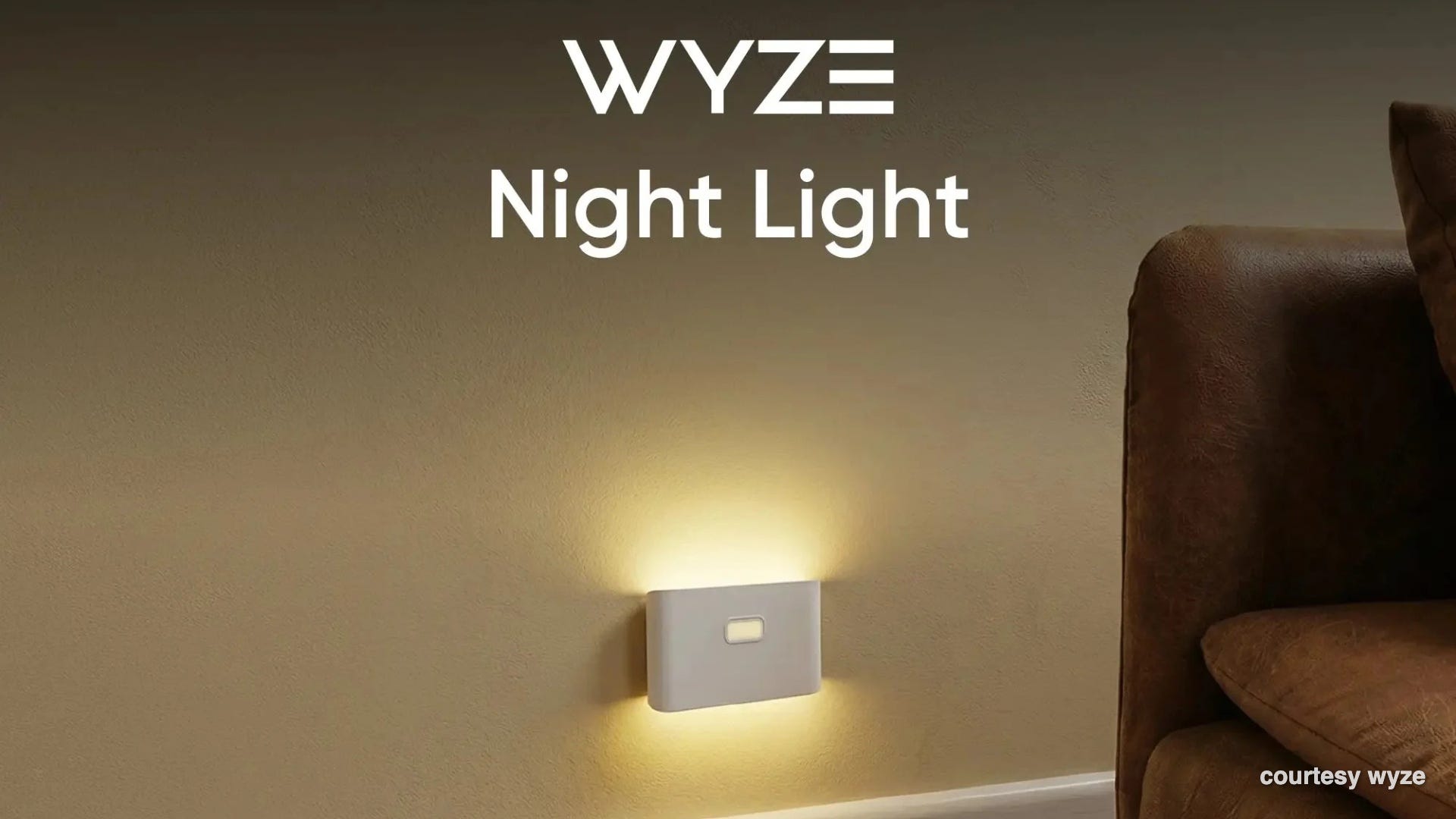
Smart nightlights that work together. Newsletter reader Jeremy tipped me off to these Wyze rechargeable nightlights. The clever part is that you can link them together, so when one detects motion, the others light up, too. Imagine getting up in the middle of the night and having a path of soft light through your hallway. They’re magnetic, rechargeable, and a three-pack is around $25.
Build an app just by describing it. My kids turned me on to Lovable, a website that lets you create apps and websites by explaining what you want in plain English. You don’t need to know how to code to get started. ChatGPT has similar capabilities now, but Lovable is worth exploring if you’ve ever had an idea for an app and didn’t know how to build it. There’s a free option to try it out.
Turn any screen into a giant sign. Ever see someone waiting at the airport holding up an iPad with a person’s name on it? BigWords.page lets you do the same thing with any phone, tablet, or computer. Just type your message and display it full screen. You can also create countdown timers, show a Wi-Fi password, or make a quick announcement. via Cool Tools
A better way for businesses to get paid. I paid a doctor’s bill online this week, and the payment experience was so clean and simple that I actually looked up the company behind it. It’s called Nickel, and it helps businesses send invoices, collect payments, and manage cash flow. If you run a small business or medical office, it might be worth a look. I haven’t tested the business side, but the customer experience impressed me.
Feedbag
A few notes from viewers and listeners this week:
Silvana in Menifee says she listens to my podcast every morning. She recently tried another tech podcast but switched back after five minutes. “Your voice, as well as your expertise, makes all the difference. You’re easy to listen to.” Glad to be part of your morning routine, Silvana!
Michael wrote to ask whether he should finally replace his 2010 iMac. After I explained why it was time to move on, he wrote back, “You are seriously the best and most kind person.” Such a nice note, and quite a contrast to what my kids say when I take away their screen time!
Nick checked out Amazon’s “About You” section after hearing me mention it on the show. Despite years of shopping, Amazon told him, “We haven’t saved anything yet.” His reaction? “Yay!” Guess you’re an Amazon ghost, Nick!
David wrote, “Love your Saturday show.” Thanks for tuning in, David!
That’s going to do it for this week! Lots to talk about on the radio show this weekend. Join me live Saturday at 11 a.m. Pacific on KFI AM 640, catch the replay Sunday at 5 p.m. Pacific on 710 WOR in New York, or listen anytime wherever you get your podcasts.
One last thing! I’ve been wanting to do this for a while, and thanks to a little help from my AI assistant, I finally figured out how to make it happen.
As a small thank-you to everyone who supports this newsletter with a paid subscription, I’ve set up a new VIP label in my inbox. That means I’ll be able to spot your emails more easily and give them priority when I’m going through reader messages.
I still read and appreciate emails from everyone, whether you’re a free or paid subscriber. I can’t promise a personal response to every message, but this is one little way I can show some extra appreciation to those who help support my work.
And whether you’re a free or paid subscriber, thank you for being here.
Rich