
A listener once asked me how to put their step count on their Apple Watch face. I figured there had to be a built-in option. Then I went looking and couldn’t find one.
That’s why one small feature on the new Apple Watch has caught my attention: Apple now has its own step-count display you can add directly to your watch face.
It’s available on the Apple Watch Series 12 and Ultra 4. You can glance down and check your progress without opening an app. Apple calls these little pieces of information “complications,” although this one makes things simpler.
Apple says the feature is enabled by the new chip inside those watches, combined with a new step-counting algorithm. Right now, it’s exclusive to those two models. Since Apple ties it to the new hardware, I wouldn’t count on a software update bringing the built-in option to older watches.
Apple Watch already counts your steps. What’s new here is having Apple’s own option to keep that number visible on your watch face, instead of having to go looking for it.
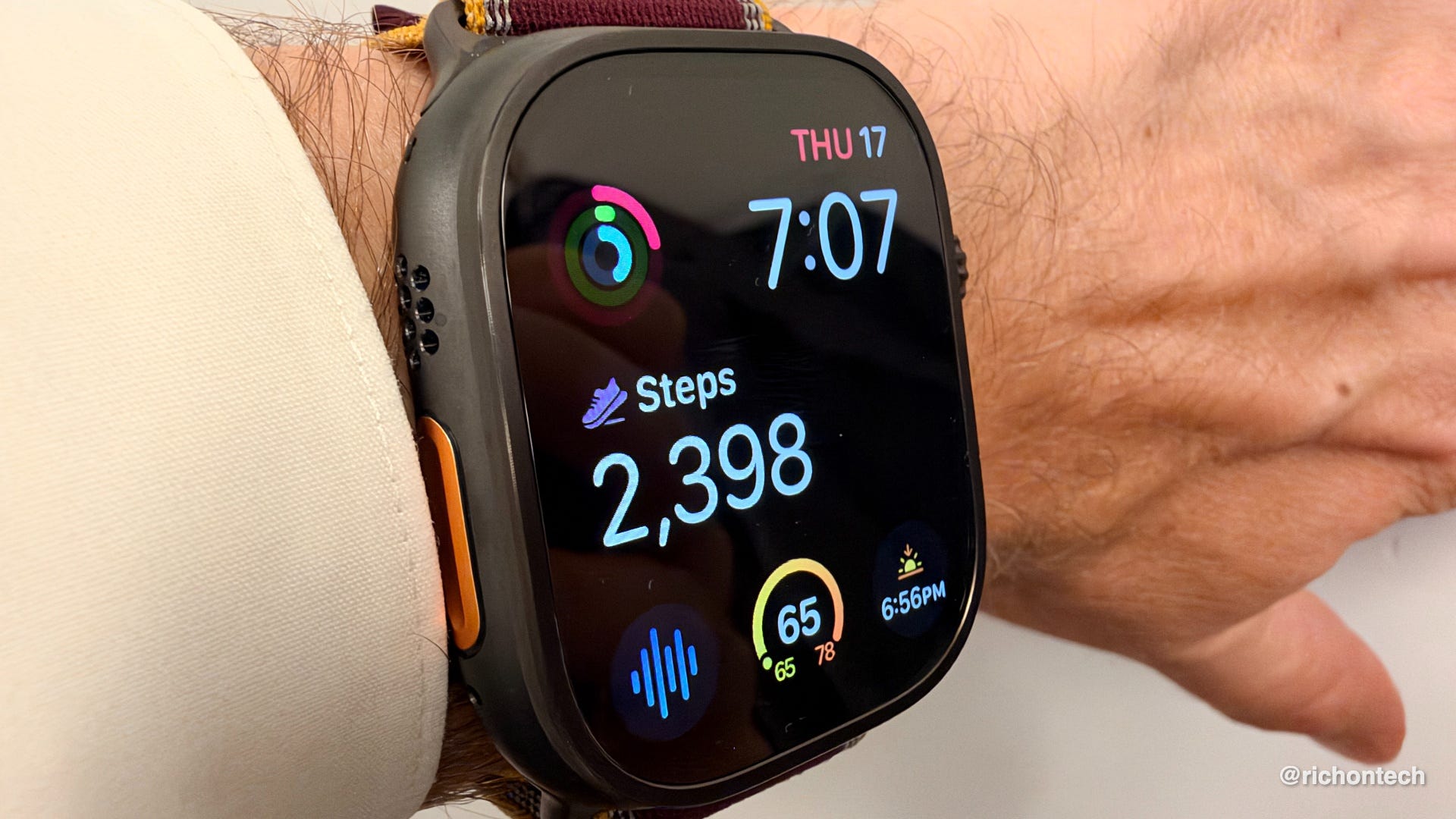
For some people, closing their activity rings is all the motivation they need. But if you’re someone who thinks in steps, this gives you a more direct way to see how you’re doing throughout the day.
Whether you’re working toward 10,000 steps or a different personal goal, a quick glance could be the nudge to take another walk around the block.
This alone wouldn’t get me to upgrade my watch. But it’s one of those small additions I’ll actually use. If you’re getting one of the new models, look for the steps option when you customize your watch face.
How to add Steps to your Apple Watch Series 12 or Apple Watch Ultra 4 face:
Press and hold your watch face.
Tap Edit.
Swipe over to Complications.
Tap the spot where you want your step count to appear, then under Activity, choose the daily steps complication.
Press the Digital Crown to save your changes.